FAQ
Service Catalog
Incident Catalog
Which School does my course belong to?
How do I log in to the Zoom application?
My Zoom account is Basic, how can I get a Pro account?
CGD gave me a service card (not personalized) and it doesn’t work. How can I solve the problem?
Is IBM SPSS Amos available for the macOS operating system?
How do I schedule a meeting on the Colibri website?
How do I schedule a meeting using Zoom App?
I can’t add alternative Hosts (Co-hosts)
How can I keep a meeting safe?
How long is my recording available in the cloud?
How to schedule a Webinar?
Why can’t I access the content with the padlock icon?
Target Audience: Iscte-IUL Students
Answer/Solution: The course materials are managed by the teacher(s) and the content that appear with the padlock icon (see image below) have been restricted to specific groups by the teacher(s).
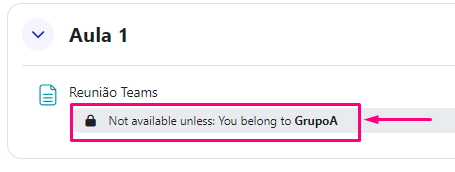
Further Information: If you believe you should be able to view this locked content, please contact the teacher(s) to add you to the required group.
I can log in to Moodle, but I can’t see the courses. Why?
Printing error – Windows Hello
Target Audience: Iscte-IUL Employees
Answer/Solution: For users who have configured PIN or fingerprint authentication – Windows Hello – and were unable to print (error 0x000006ba), follow these steps:
- Access the “Printers & Scanners” menu using the Windows search box.
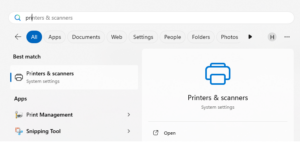
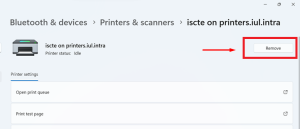
- Select the printer and press the “Remove“.
- Establish a connection to the Iscte print server by running the command \\printers.iul.intra in the Windows search box.
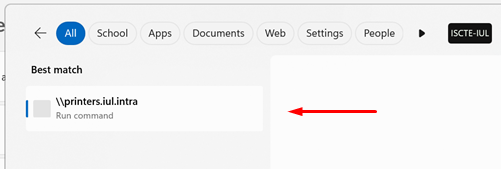
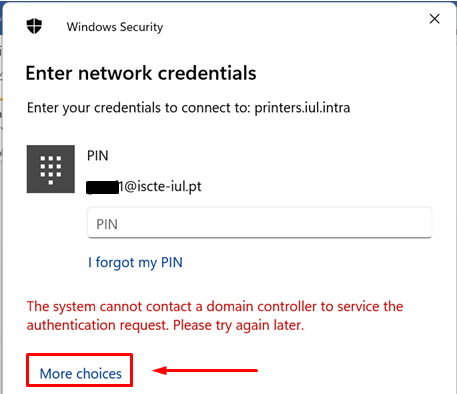
Tip: Outside Iscte installations, connect to the VPN before attempting to connect to the Iscte print server. - In the Windows Security window, click on “More choices“.
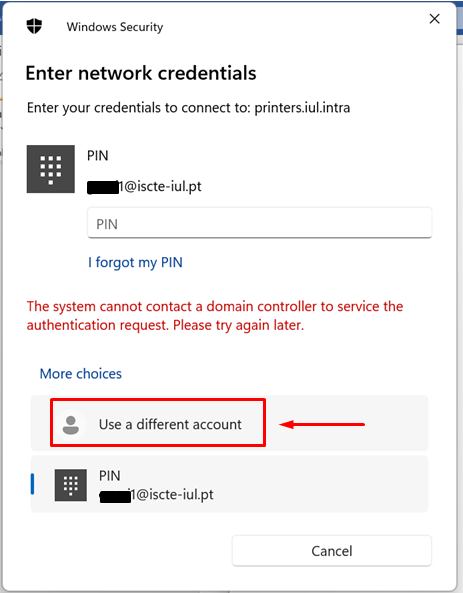
- Select “Use a different account“.
- Authenticate to the print server and select “Remember my credentials“.
Username: Type “IUL\username” (e.g., IUL\xxnes)
Password: Type Iscte account password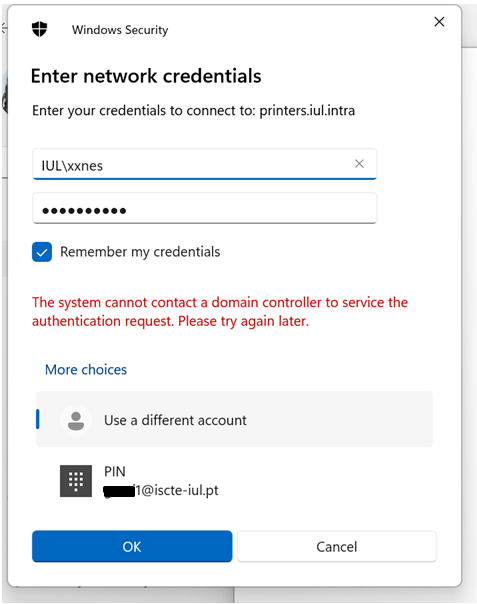
- Press the “OK” button.
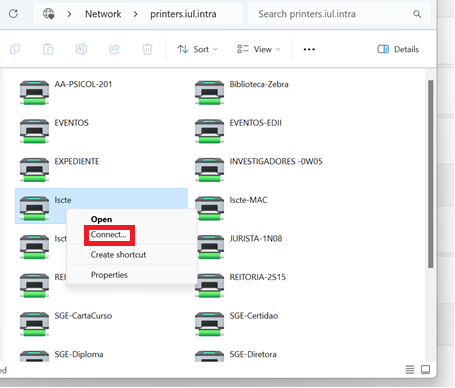
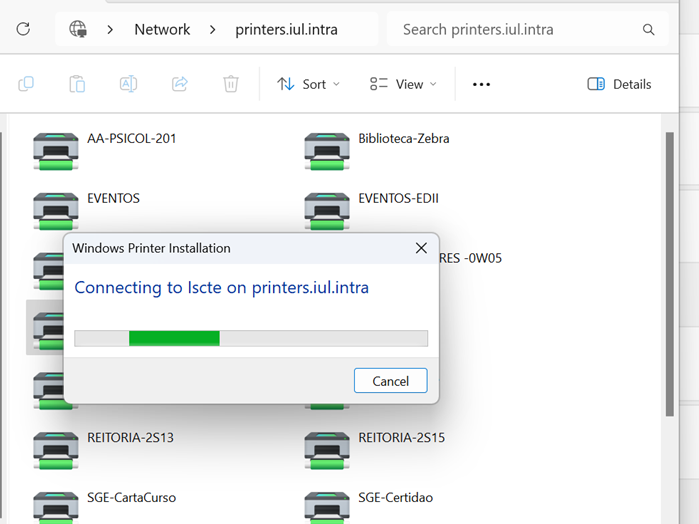
- Install the “Iscte” network printer driver using the right mouse button and choosing the “Connect…” option and wait for the installation to finish.
- Access the “Printers & Scanners” menu using the Windows search box.
Does Iscte have licenses for NVivo software?
Is it possible to create groups by CSV?
Target Audience: Iscte-IUL Teachers
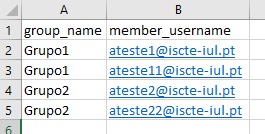
Answer/Solution: Yes. To do this, add the groups in the “group_name” column and the usernames in the “member_username” column in the CSV file:
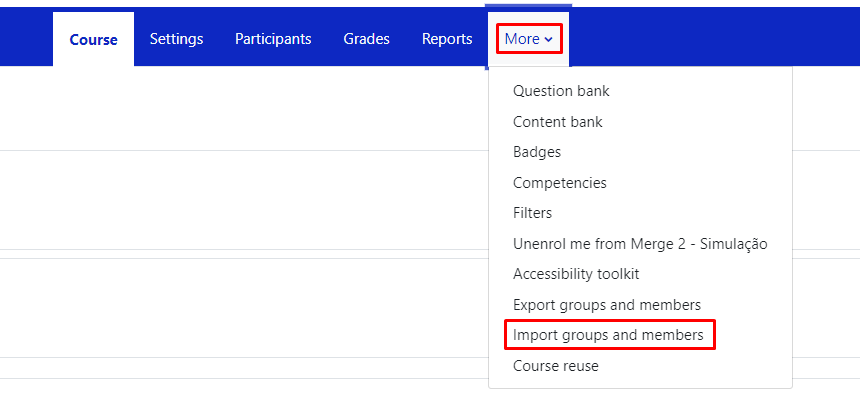
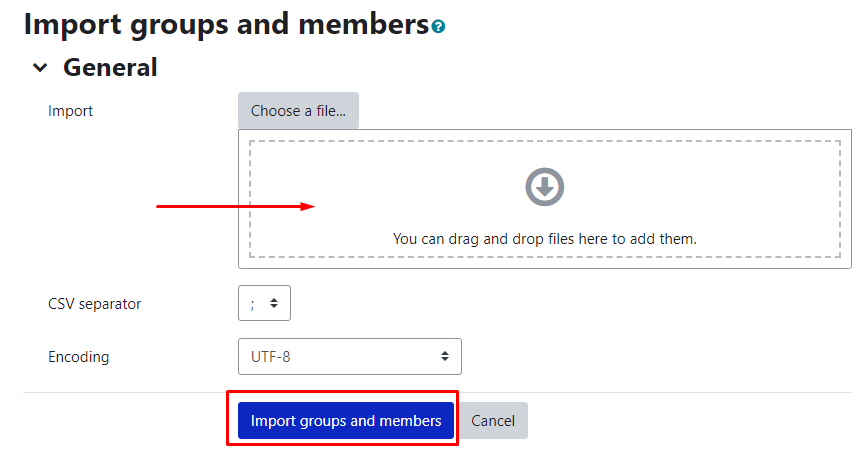
In the course unit, click on “More” in the top menu and select “Import groups and members”.
Drag (or select) the CSV file with the groups into the “Import” field and press the “Import groups and members” button, then “Continue“.
Further Information: You can download an example csv file.
I can’t upload files to UC in Moodle. What can I do?
Target Audience: Iscte-IUL Teachers
Answer/Solution: Make sure you have activated the “Edit mode” in the top right corner:

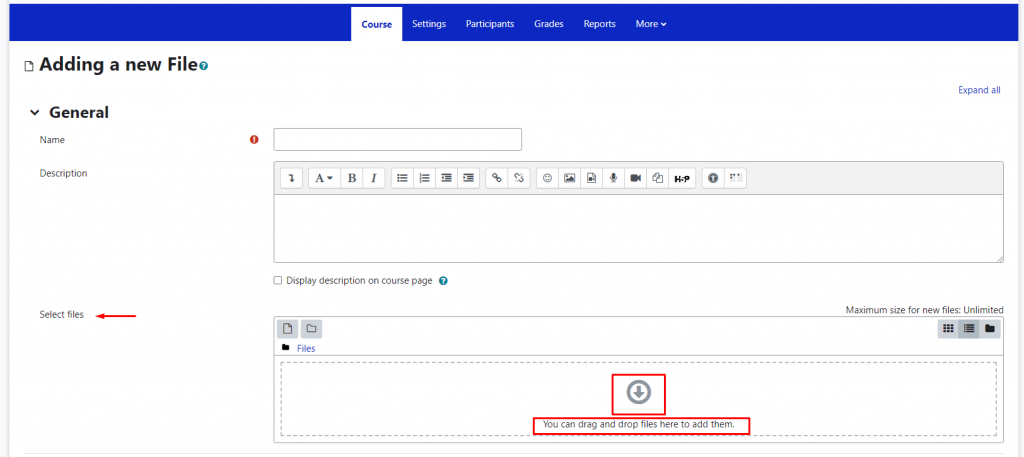
On the course page in Moodle, files should be added by creating an activity or resource in the “Course” section of the horizontal menu:
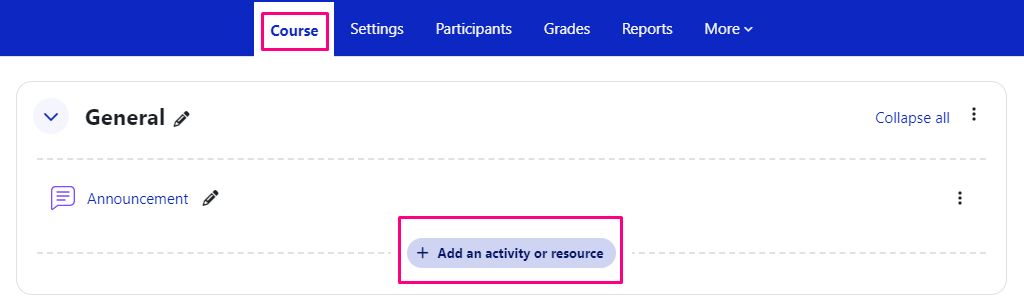
In the activity or resource created, drag or drop the file(s) into the “Select files” field or click on the downward arrow icon and select the file(s).