Iscte IT Account
I can’t set a password for my Iscte account
How can I recover the password on Okta?
Target Audience: Iscte-IUL Community
Answer/Solution:
If you are already a member of the Iscte community (worker or student), perform the following steps:
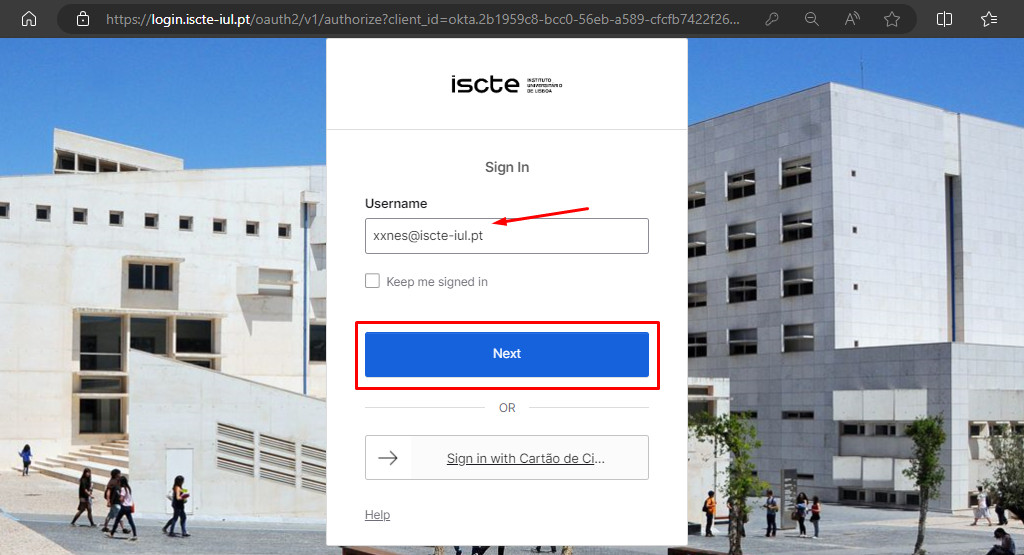
- Go to https://login.iscte-iul.pt/
- Enter your Iscte username (e.g. xxnes@iscte-iul.pt) and click “Next“.
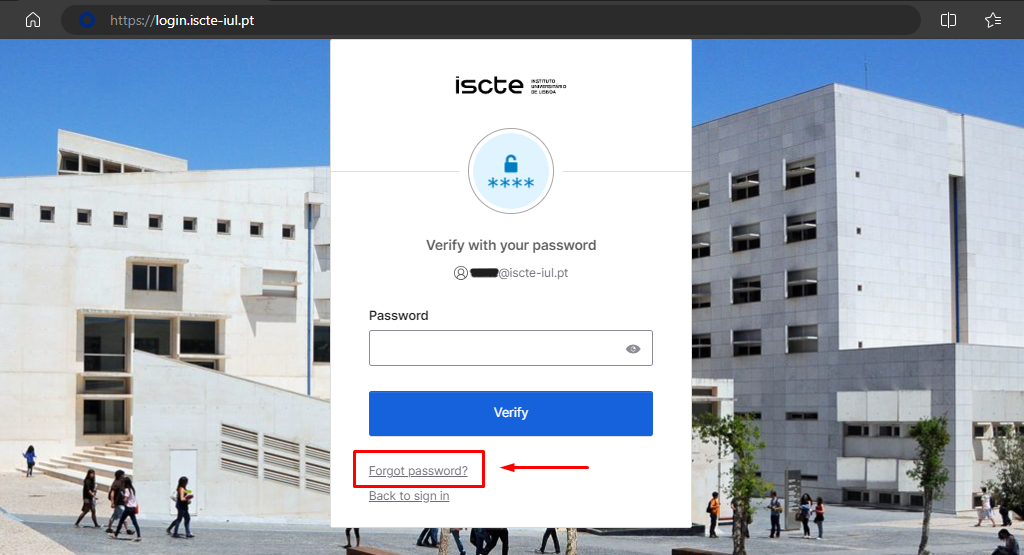
- Click on “Forgot password?“.
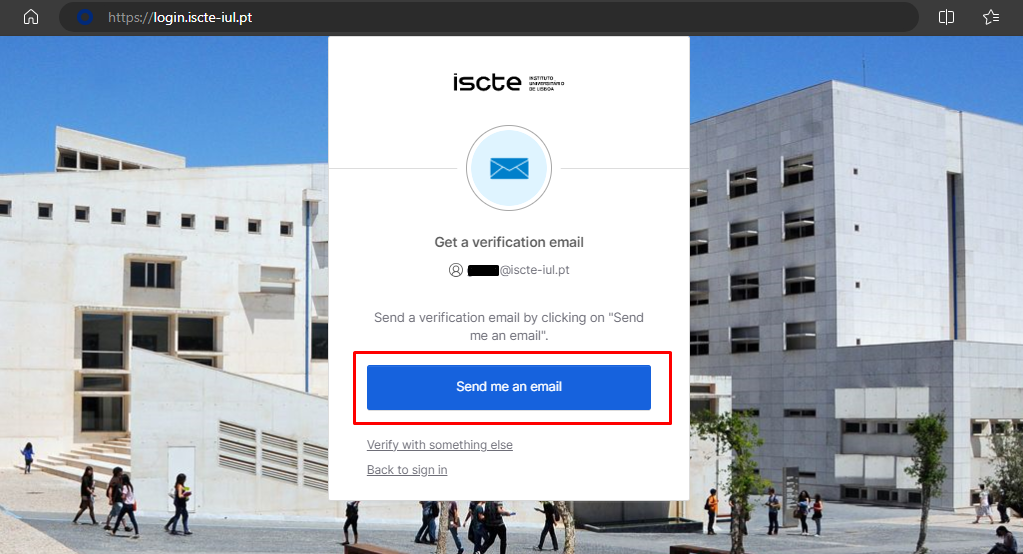
- Select the “Email” option to receive a password recovery e-mail to your personal e-mail address.
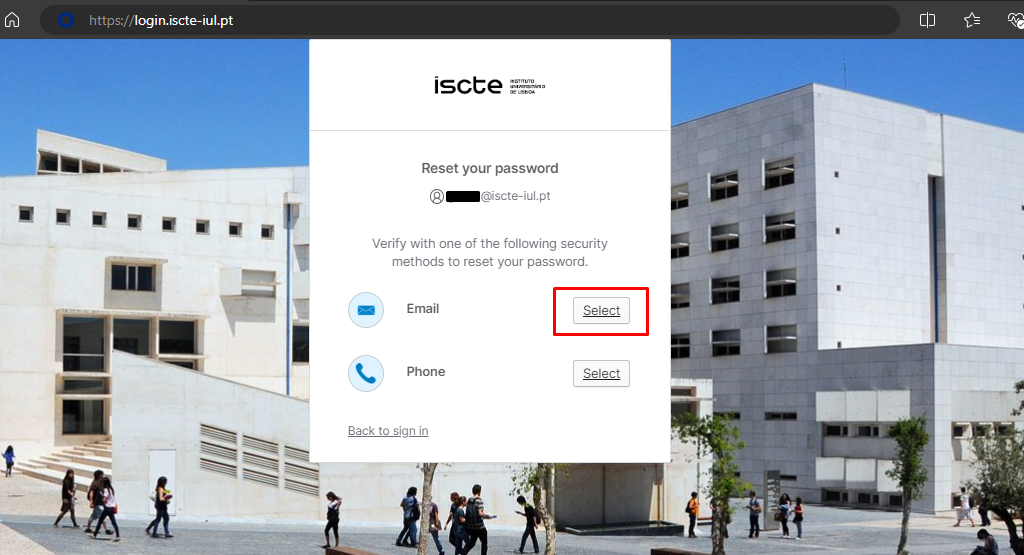
Note: The ‘Phone’ method is temporarily unavailable. - Click on the ‘Send me an email’ button.
- Access your personal email account (which you have added to Okta).
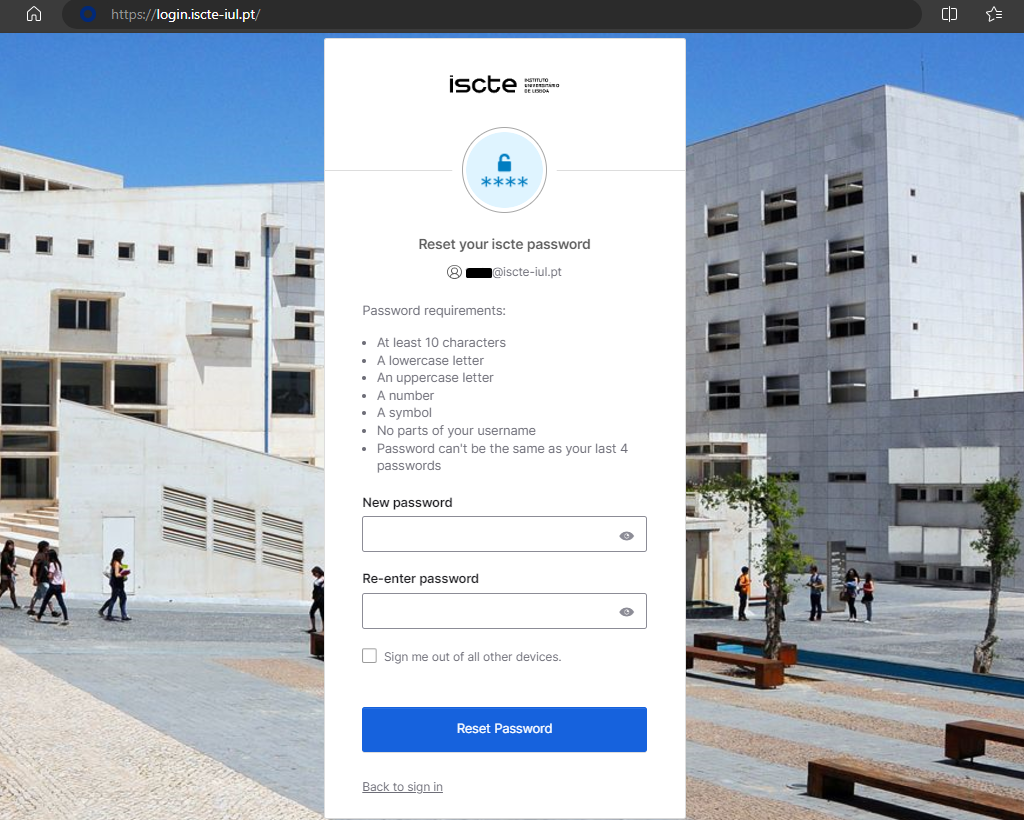
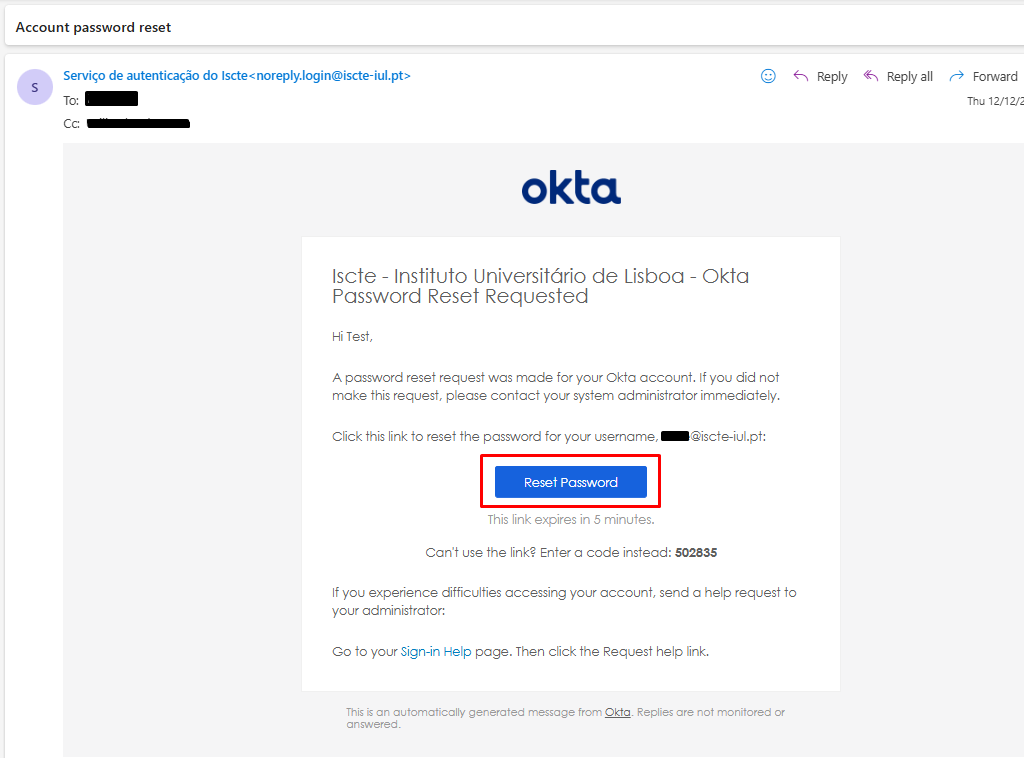
- You will receive an automatic e-mail to your personal e-mail address from <noreply.login@iscte-iul.pt>, where you should click on the “Reset password” button.
Please note: The password reset link is only valid for 5 minutes.
- A new login.iscte-iul.pt window will open in the default browser. Immediately change your password and then click on the “Reset password” button.