Services
Printing error – Windows Hello
Target Audience: Iscte Employees
Answer/Solution:
For users who have configured PIN or fingerprint authentication – Windows Hello – and were unable to print (error 0x000006ba), follow these steps:
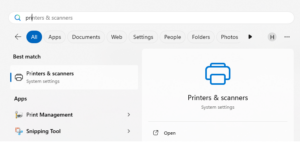
- Access the “Printers & Scanners” menu using the Windows search box.
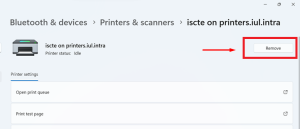
- Select the printer and press the “Remove“.
- Establish a connection to the Iscte print server by running the command \\printsrv-vwx.iul.intra in the Windows search box.
Tip: Outside Iscte installations, connect to the VPN before attempting to connect to the Iscte print server.
- In the Windows Security window, click on “More choices“.
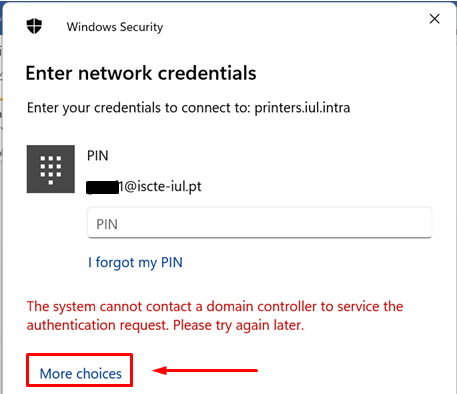
- Select “Use a different account“.
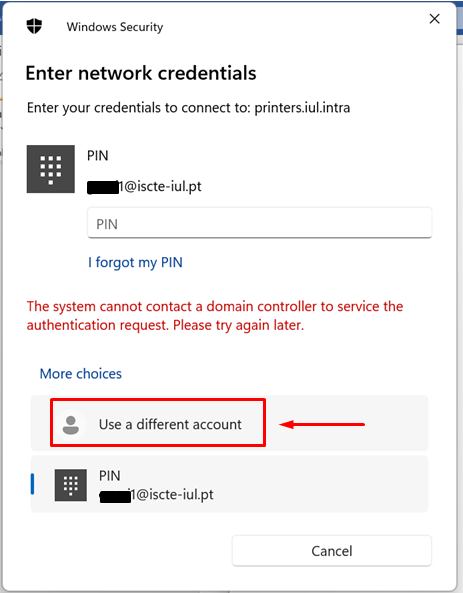
- Authenticate to the print server and select “Remember my credentials“.
Username: Type “IUL\username” (e.g., IUL\xxnes)
Password: Type Iscte account password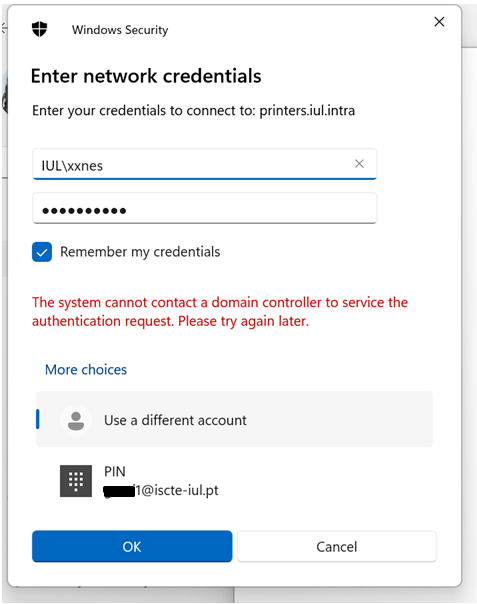
- Press the OK button.
- Install the Iscte network printer driver using the right mouse button and choosing the Connect… option and wait for the installation to finish.
- Access the “Printers & Scanners” menu using the Windows search box.
Further Information:
See also:
- Printing and Scanning (overview)
Does Iscte have licenses for NVivo software?
How can I recover the password on Okta?
Target Audience: Iscte-IUL Community
Answer/Solution:
If you are already a member of the Iscte community (worker or student), perform the following steps:
- Go to https://login.iscte-iul.pt/
- Enter your Iscte username (e.g. xxnes@iscte-iul.pt) and click “Next“.
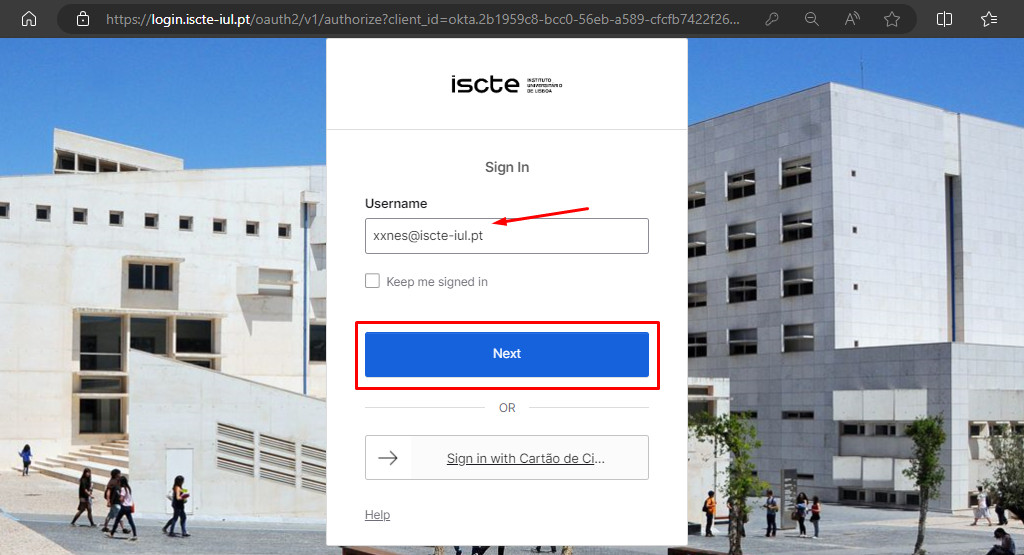
- Click on “Forgot password?“.
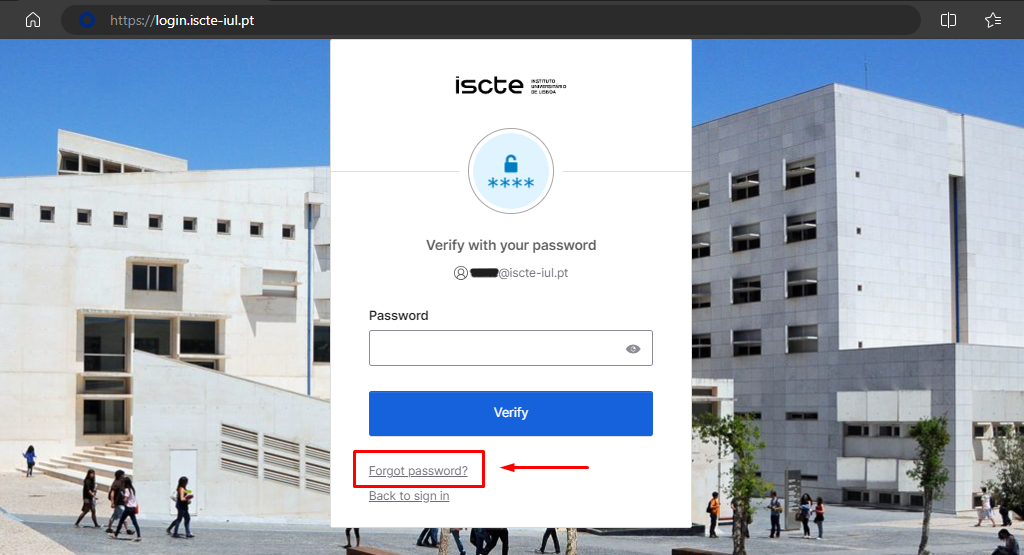
- Select the “Email” option to receive a password recovery e-mail to your personal e-mail address.
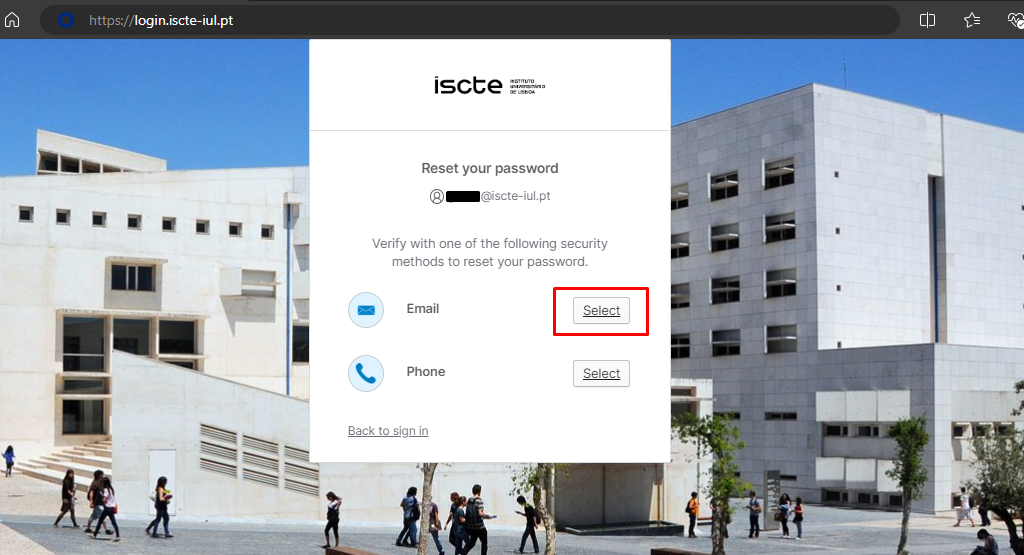
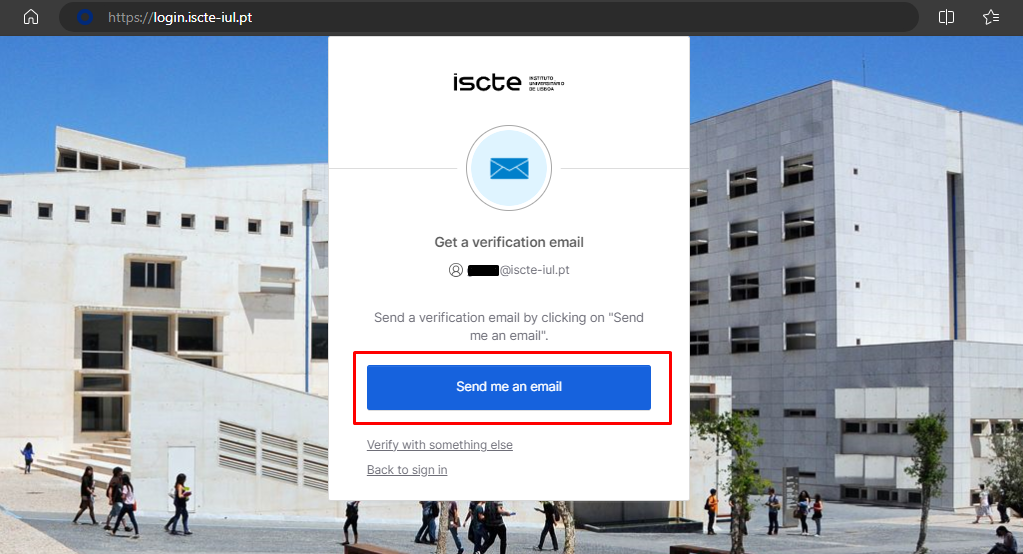
Note: The ‘Phone’ method is temporarily unavailable. - Click on the ‘Send me an email’ button.
- Access your personal email account (which you have added to Okta).
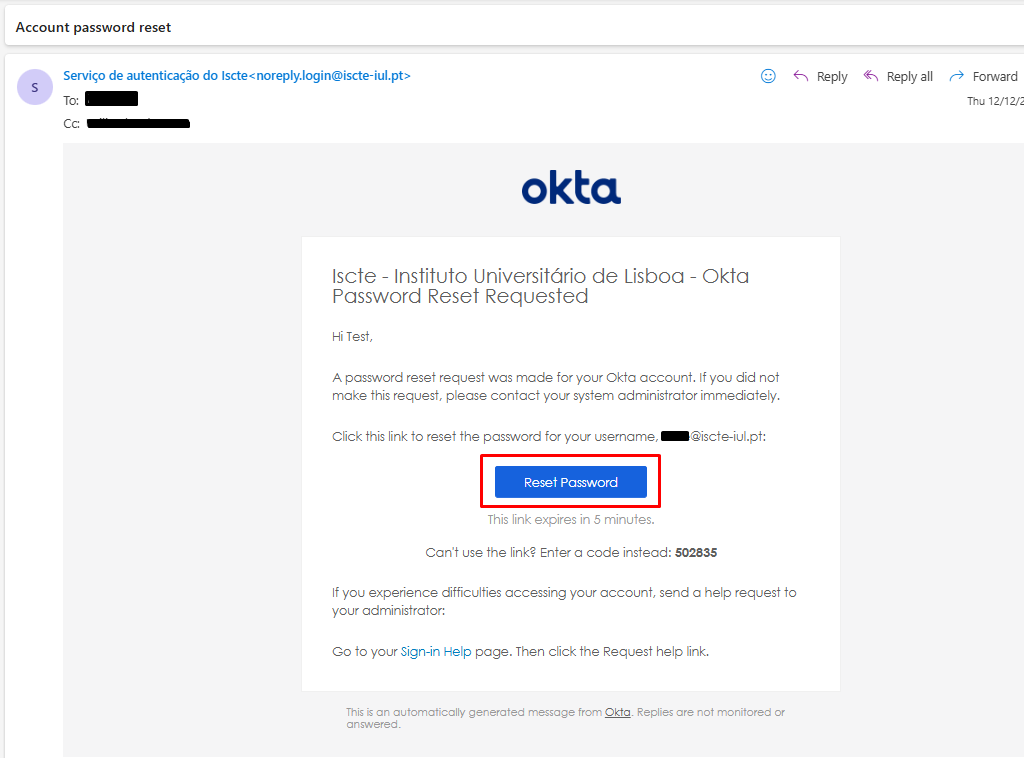
- You will receive an automatic e-mail to your personal e-mail address from <noreply.login@iscte-iul.pt>, where you should click on the “Reset password” button.
Please note: The password reset link is only valid for 5 minutes.
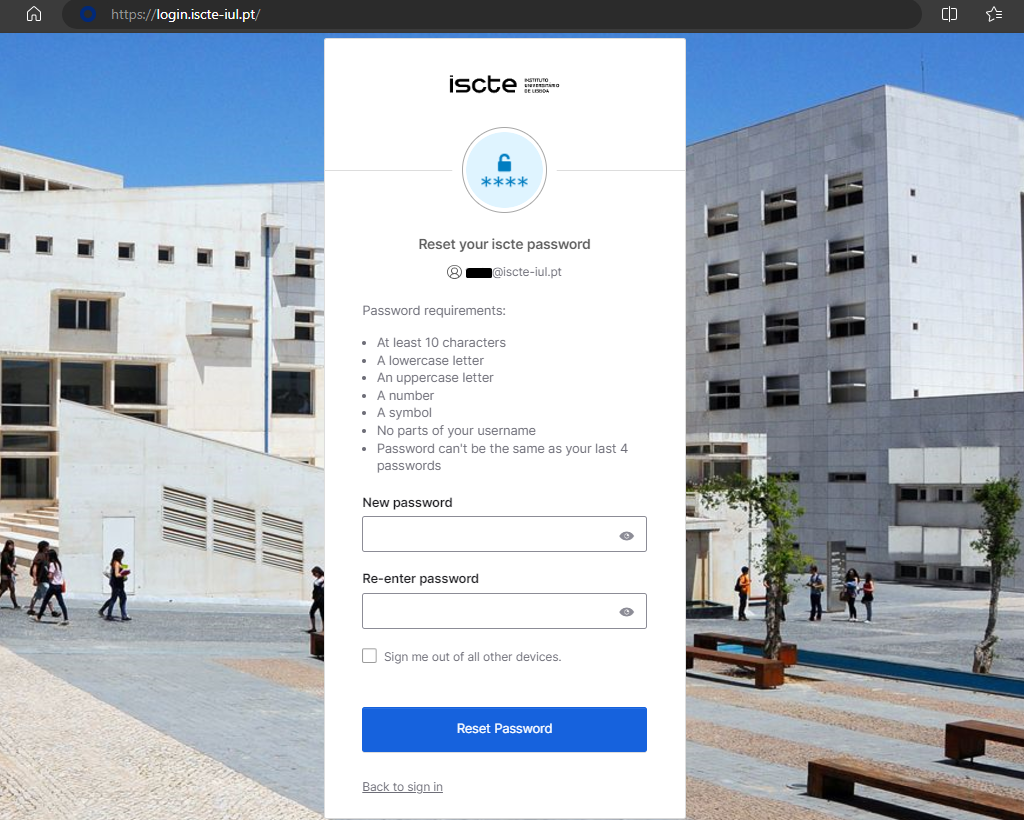
- A new login.iscte-iul.pt window will open in the default browser. Immediately change your password and then click on the “Reset password” button.