
IAjuda
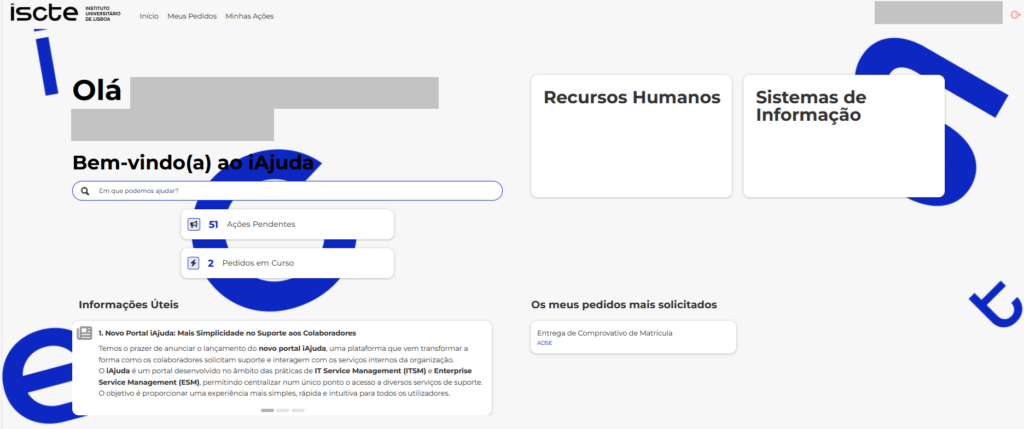
O IAjuda (Iscte Ajuda) is the central service and support portal for the Iscte community, providing a single point of contact for submitting, tracking, and managing support requests.
Through this platform, students, faculty, researchers, and staff can request assistance in a simple, fast, and organized manner, ensuring that requests are automatically routed to the appropriate teams. iHelp also allows users to monitor the status of their requests in real time, review interaction history, and access useful information for resolving common issues.
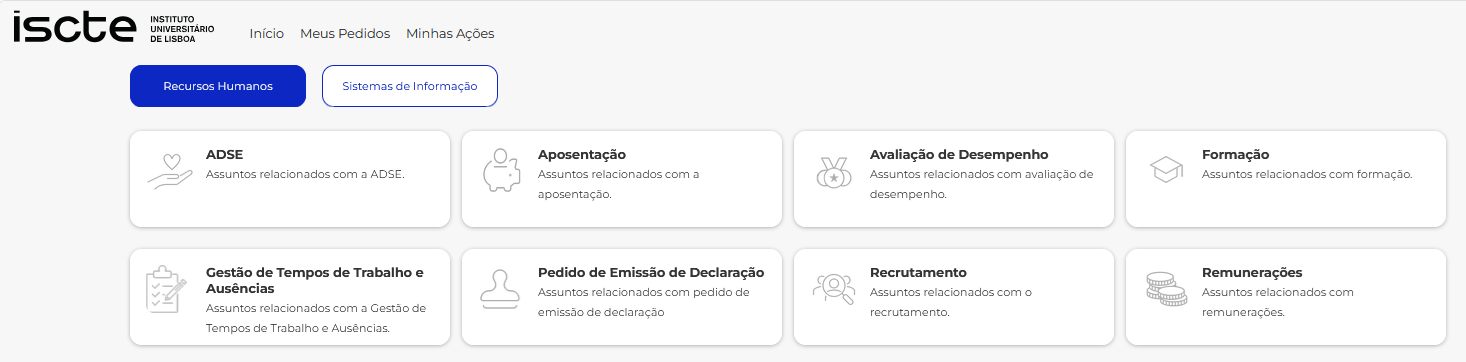
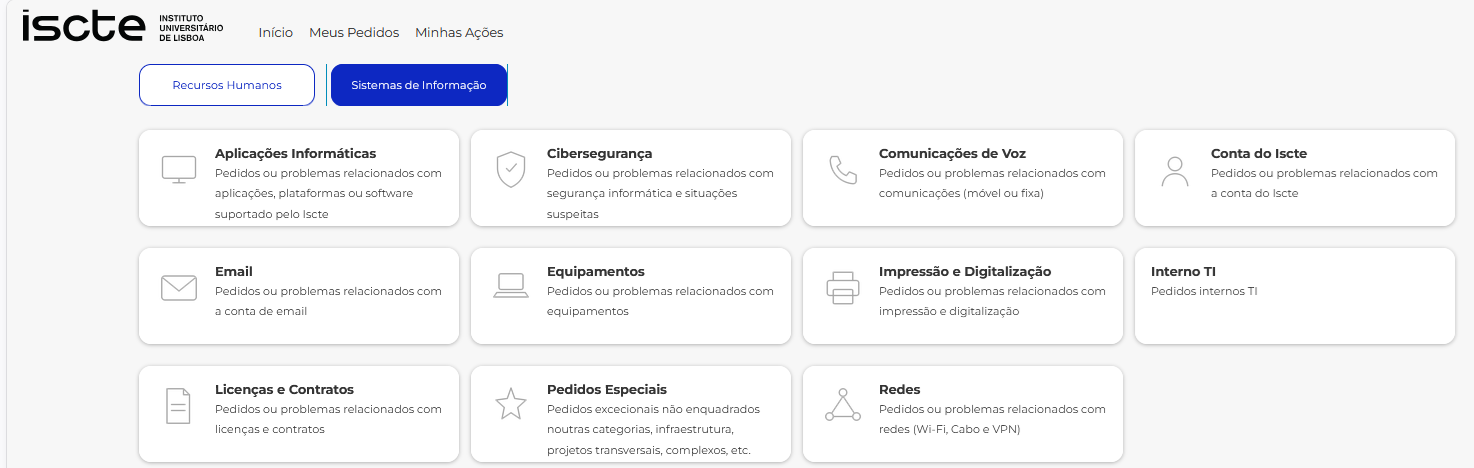
In this area, you will find the main support services organized by unit, making it easier to identify the type of assistance required and reducing the time needed to obtain an appropriate response.
1️⃣Service Areas
Human Resources
Information Systems
2️⃣The IAjuda Home Page
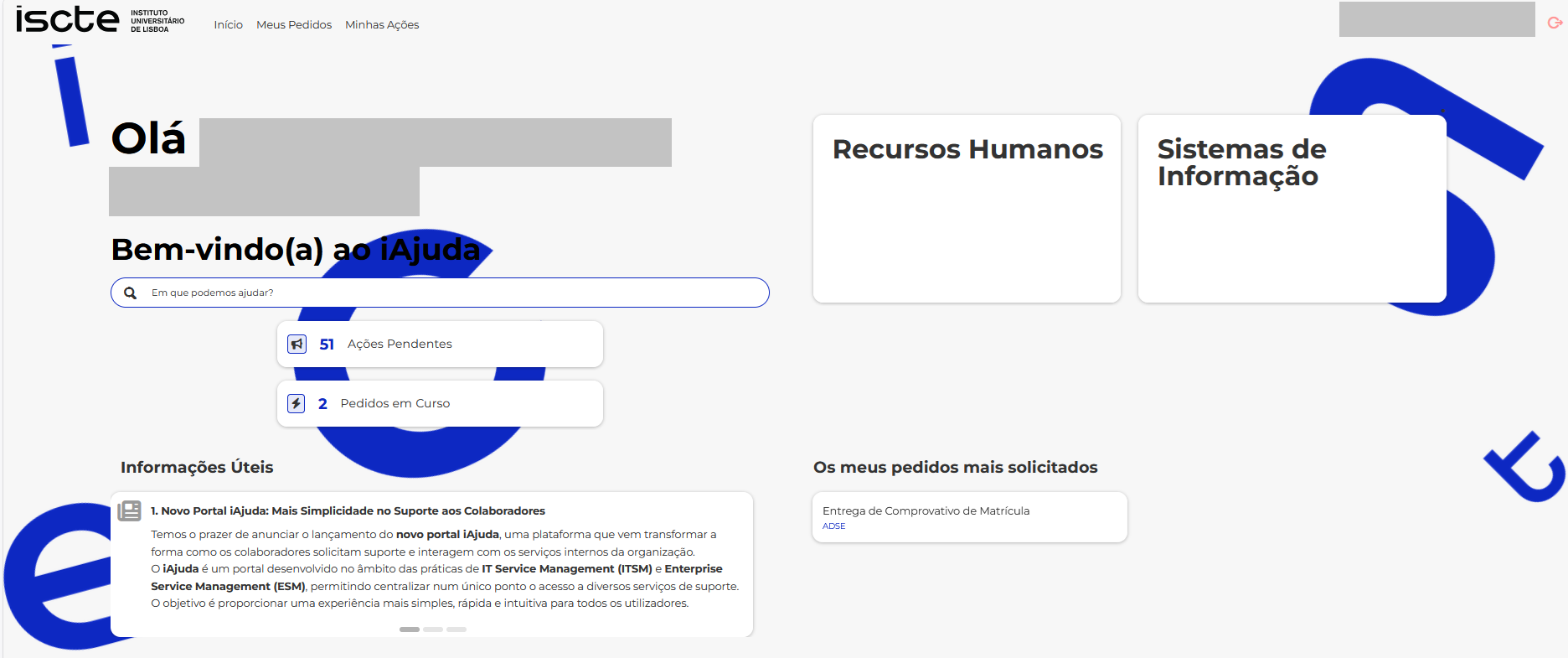
The landing page consists of the following elements:
Logo: Allows you to return to the main page (homepage).
Menu: Allows you to navigate the application, accessing Homepage, My Requests, and My Actions.
Search: Allows you to search for services provided by both the Human Resources and Information Systems areas..
Request Catalogs: Allows you to browse the Human Resources and Information Systems request catalogs. These catalogs are organized in a hierarchical structure (category/subcategory), with the main categories as illustrated above.
Useful Information: Displays useful information.
My top requests: Displays your six most frequently requested services and allows you to start a request with a single click.
Pending Actions: Allows you to view requests with pending actions and complete the required actions.
On Going Requests: Allows you to view requests currently in progress.
3️⃣User Guide
To learn about all the features of IAjuda and how to create, track, and manage requests effectively, consult the User Guides (PT version. EN version available soon).
Note: Portuguese version. English version available soon.
4️⃣What Would You Like to Do?
Select the option that best matches your need to access the corresponding support page.
5️⃣I Need Help
Need assistance? Consult the frequently asked questions, user guides, troubleshooting procedures, or contact technical support services.