Viewing Request Details
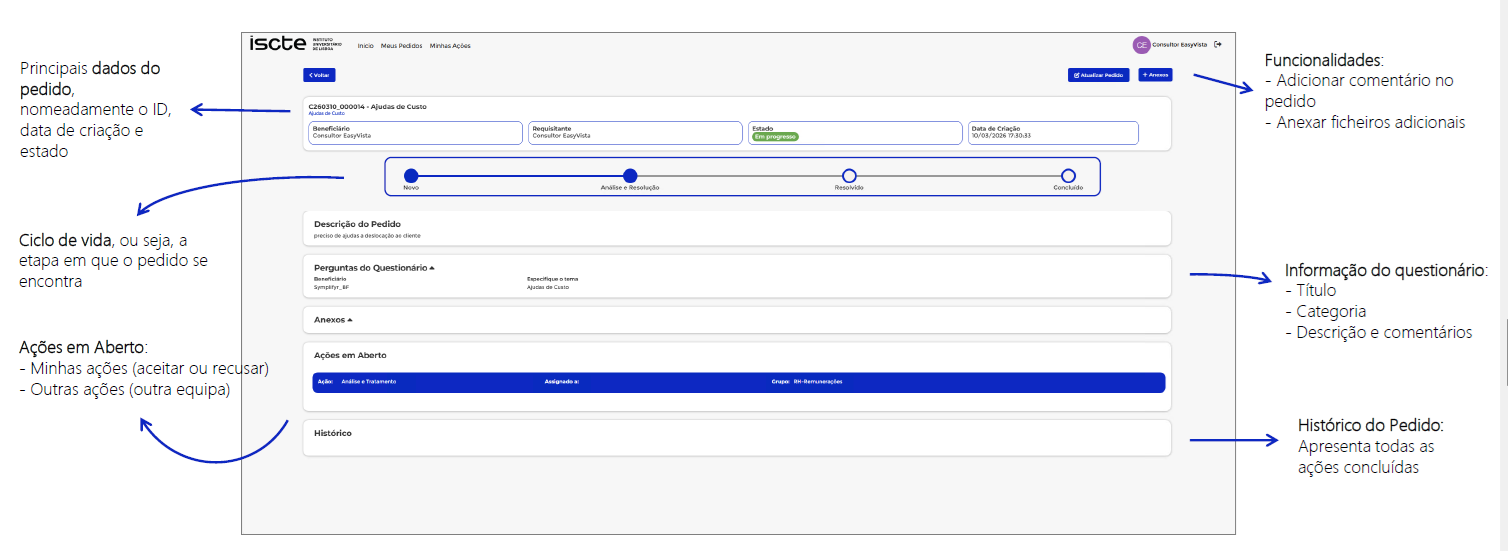
The request details page is designed to provide an overview of the request status. It displays all relevant information and allows you to manage the request by updating information and/or adding attachments.
1️⃣By clicking a request entry in the lists available on the My Requests or My Actions pages (in the latter case, by clicking the magnifying glass icon), the user is redirected to the request details page.