
How to view/change personal contacts-Iscte that will be imported into other Iscte applications?
Target Audience: Iscte-IUL Employees
Answer/Solution:
- Open a browser (Chrome, Firefox, Edge, Safari, Opera…)
- Go to https://fenix-mais.iscte-iul.pt/
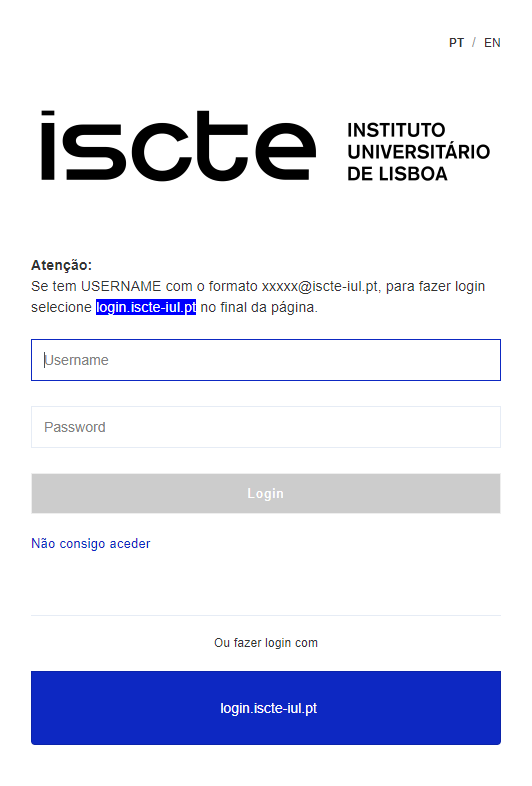
- If you have Iscte account credentials in the format xxnes@iscte-iul.pt and the corresponding password, click on “login.iscte-iul.pt” and log in using your Iscte account credentials (e.g., xxnes and the corresponding password).
- In the “ISCTE.solutions” tab, select “Personal Area” → “ISCTE Contacts” → “View Contacts”.
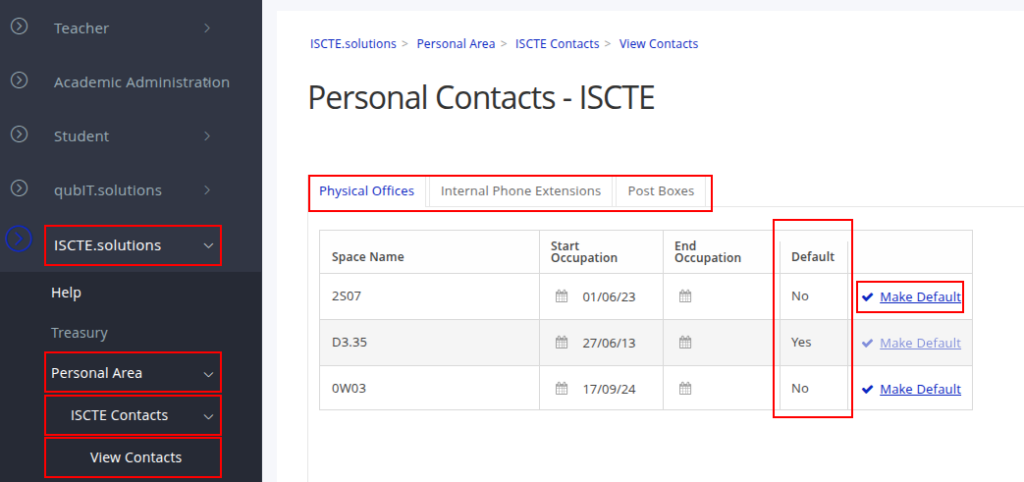
- Choose the type of contact (Offices, Telephone Extensions or Lockers) by clicking on the respective tabs.
- Click on the ‘Make Default’ option in the line of information you wish to make preferred.
- Click on ‘Yes’.
Further Information: