How to check the installed SPSS version?
Target Audience: Iscte-IUL Community.
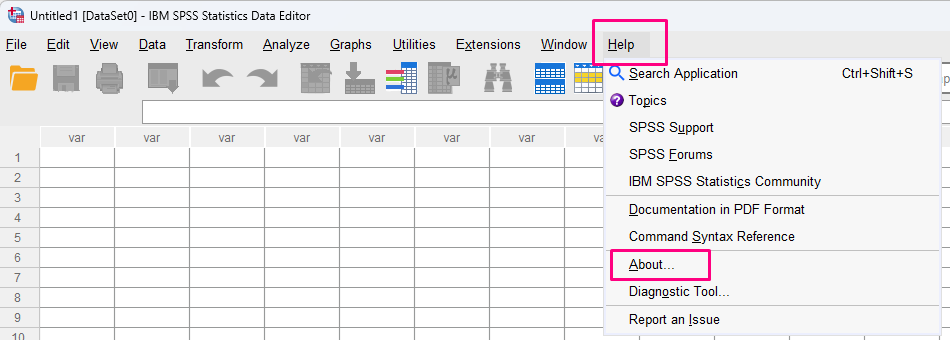
Answer/Solution: To confirm the installed version of IBM SPSS Statistics, follow the steps below:
- Open IBM SPSS Statistics.
- From the menu bar, select Help.
- Click About.
- A window containing the product information will be displayed.
- Check the installed version number (for example: 29.0.2, 30.0.0, etc).