
How do I find the IP address of a Windows computer?
Target Audience: Iscte Community
Answer/Solution:
- Select the Ethernet Network icon > and then the Ethernet network connection (in this example, contoso.com).
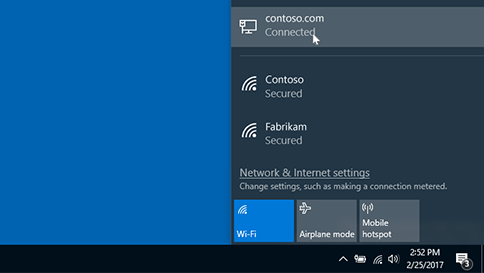
- Select the network connection “Ethernet“.
- In Properties, look for the IP address listed next to IPv4 Address.
Further Information:
- Click here