
How can I uninstall Microsoft or Office 365?
Target Audience: All the world
Answer/Solution:
- Open the “Control Panel“:
- Press the Windows logo key, then type “control panel“.
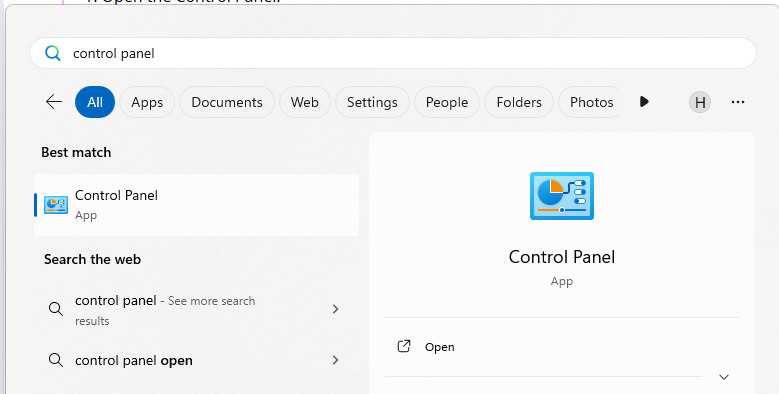
- Select “Control Panel” from the search results.
- Press the Windows logo key, then type “control panel“.
- Navigate to Programs and Features:
- Click on “Programs“, then “Programs and features“.
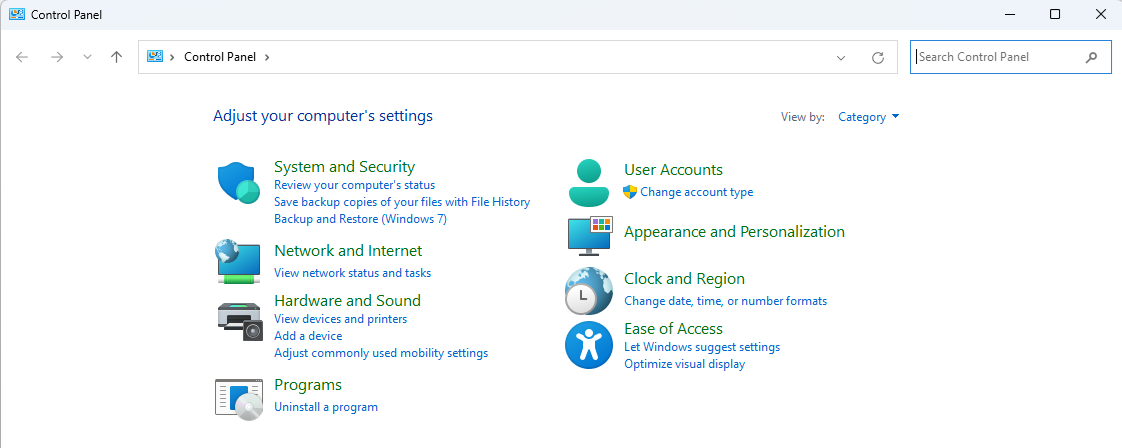
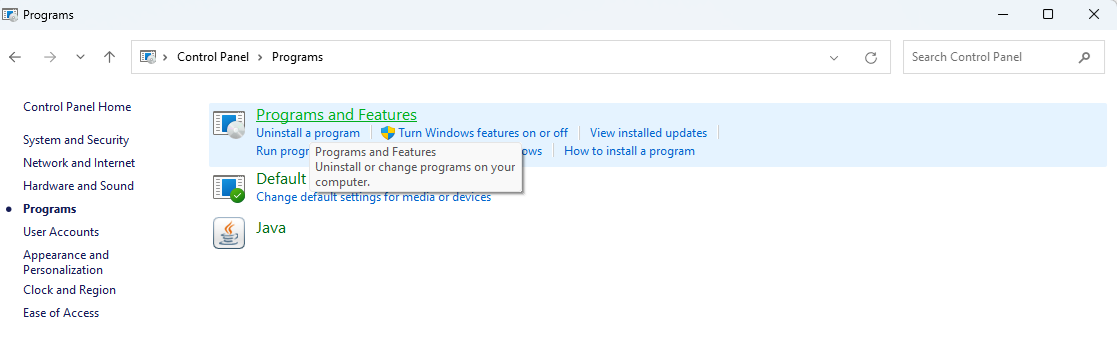
- Click on “Programs“, then “Programs and features“.
- Select the Office Product:
- Locate the Microsoft Office product you want to uninstall (e.g., “Microsoft 365”).
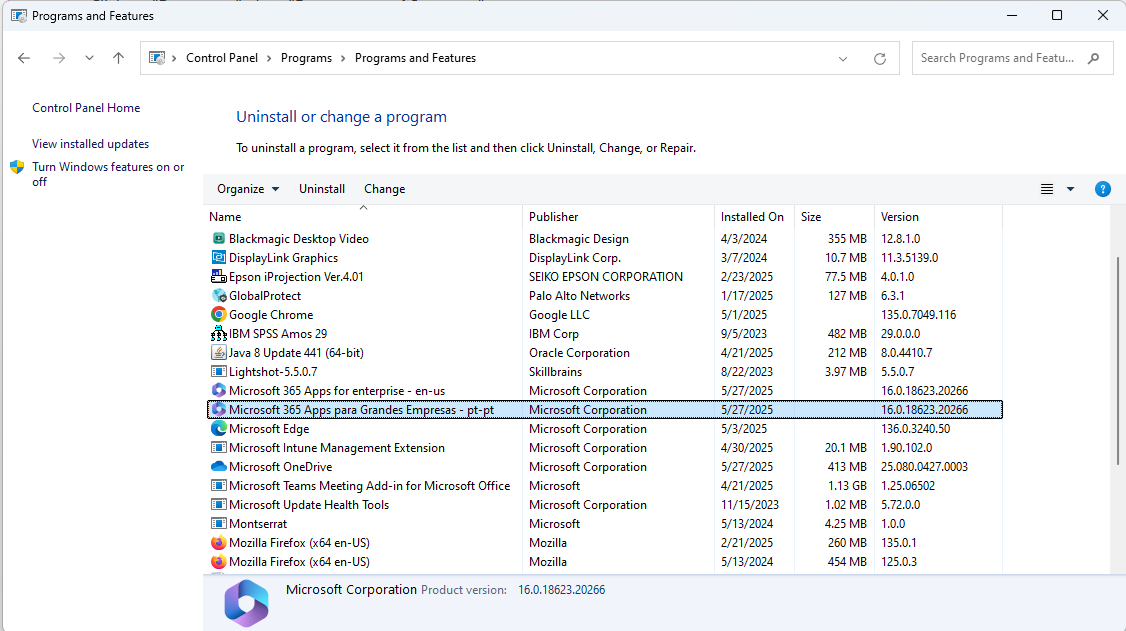
- If you installed Office as part of a suite (like Office Home and Student), search for the suite name. For standalone apps, search by the app name.
- Locate the Microsoft Office product you want to uninstall (e.g., “Microsoft 365”).
- Initiate the Uninstall:
- Click the “Uninstall” button.
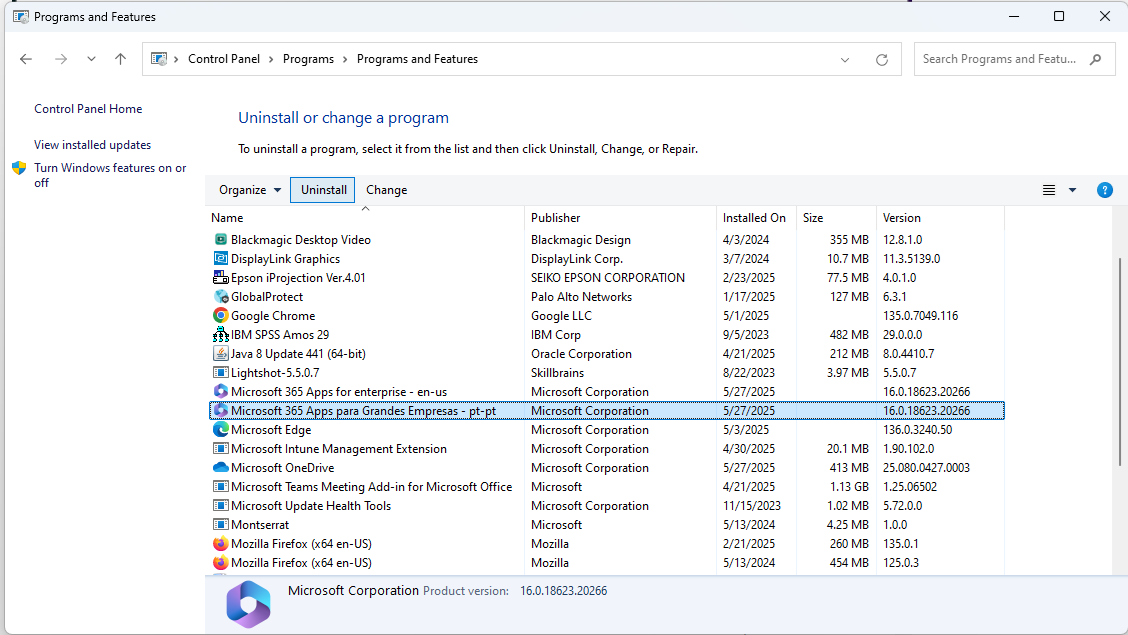
- Click the “Uninstall” button.
- Follow the Prompts:
- Follow the on-screen instructions to complete the uninstall process.
Further Information: To uninstall Office on macOS, open Finder, go to ‘Applications’, select the Office programms and move them to the trash.