

EViews is statistical software widely used in econometrics, especially in time series analysis. Developed by QMS and integrated into S&P Global, it offers an intuitive interface for creating statistical and forecasting models. It supports methods such as ARIMA, VAR, and GARCH, enabling detailed economic and financial analysis. It includes robust forecasting tools based on historical data and features that facilitate modeling and interpretation of results. The accessibility of the interface makes it suitable for both beginners and advanced users. It is widely used in universities, financial institutions, and government agencies due to its advanced analytical capabilities.
How to Get a Free Version of Eviews?
EViews Student Lite is free and ideal for introductory use, but it has important limitations: it does not allow you to save workfiles; it restricts the size of datasets to 1,500 observations per series and limits the total number of objects and pages in the workfile.
It also does not include advanced automation or database integration features. It is an affordable option for basic learning tasks.
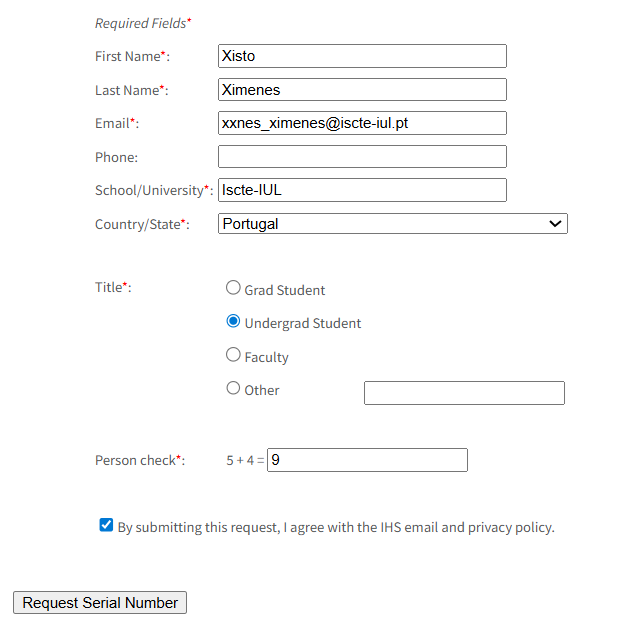
To get a serial number, fill out the form provided by Eviews here. After submission, you will receive the code by email.
System Requirements
Windows (Microsoft)
CPU: Pentium or higher
Sistema operativo: Win 10, Win 8, Win 7, Win Vista
Memory: 512 MB
Disk: 380 MB
OSX (Mac)
CPU: Pentium higher
Operating System: OS X.15 (Catalina), OS 12.0 (Monterey), OS 11.0 (Big Sur)
Memory: 512 MB
Disk: 890 MB
Licenses & Restrictions
University Edition and Student Version Lite licences restrict use to a single computer and a single user. The user must be a faculty member or a currently enrolled student. University Edition and Student Version Lite are not licensed for use on publicly accessible computers. Use of the University Edition and Student Version Lite requires registration with EViews. Technical support is not provided.
The University Edition will expire 6 months after the first licence registration and will no longer run. The University Edition requires Internet access once every 10 days, otherwise it will not start.
The Student Version Lite will expire one year after ordering and will no longer run. The Student Version Lite requires Internet access once every 10 days, otherwise it will not start. A 64-bit operating system is required.