Skip to content Skip to main navigation Skip to footer

IBM SPSS Amos

PT

IBM SPSS Amos is software specialized in structural equation modeling (SEM). It allows you to create, test, and visualize complex statistical models involving relationships between observed and latent variables. With an intuitive graphical interface, Amos facilitates model building through diagrams, without requiring advanced programming. It is widely used in academic research, social sciences, psychology, marketing, and areas that need to evaluate theoretical hypotheses and validate measurement instruments. The software offers several estimation methods, mediation and moderation analysis, goodness-of-fit tests, and advanced features to assess the quality of statistical models.

How do I get IBM SPSS Amos?

  1. Go to this link.
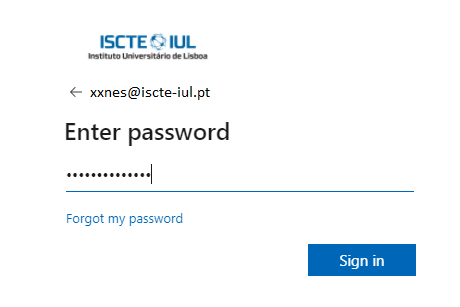
  2. Log in using your Iscte credentials (eg., xxnes@iscte-iul.pt and password).


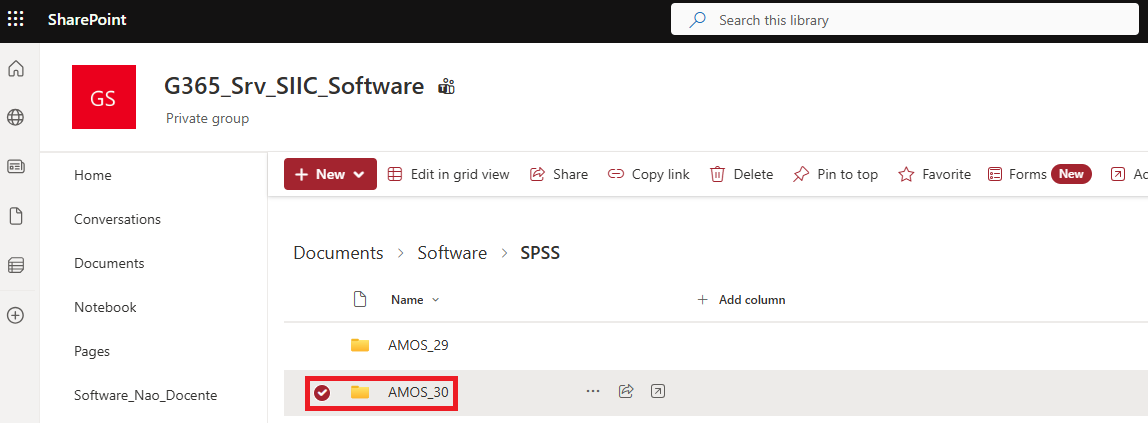
  3. Open the folder for the version of IBM SPSS Amos to be installed. As a rule, the latest version.


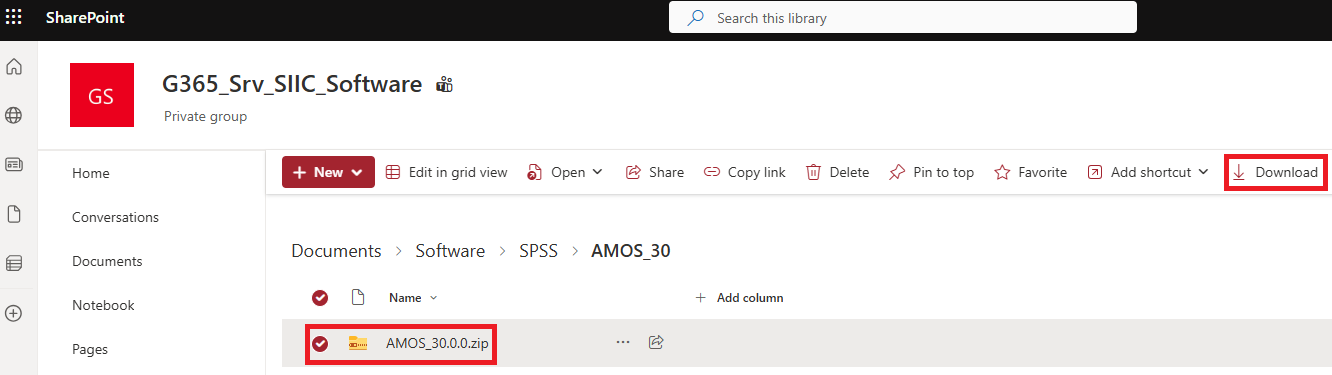
  4. Select the compressed folder “AMOS_30.0.0.zip” and click on “Download”.


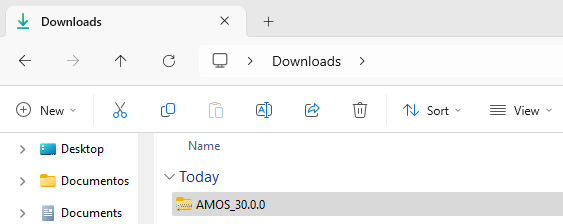
  5. The compressed folder labeled “AMOS_30.0.0” will be downloaded.
How do I install IBM SPSS Amos?

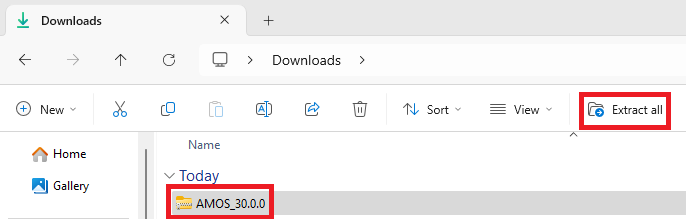
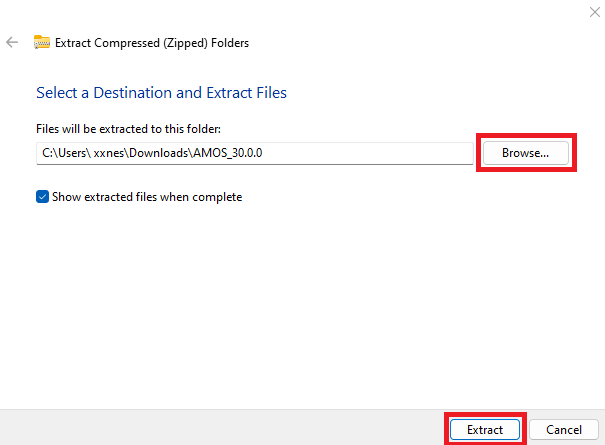
  1. Select the compressed folder “AMOS_30.0.0_Win” and click “Extract all“. If you prefer another location, select “Browse…” and choose the desired location. Select “Extract“.


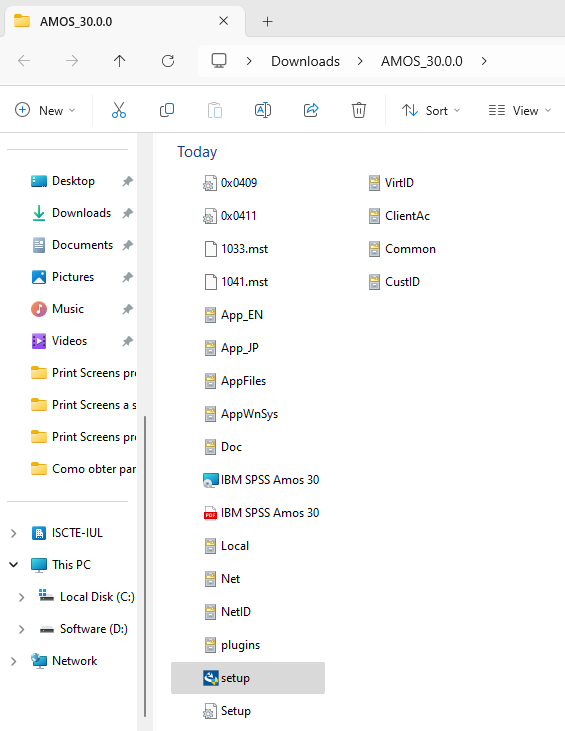
  2. The “AMOS_30.0.0” folder will be generated. Open the “AMOS_30.0.0” folder and run the “setup” file.


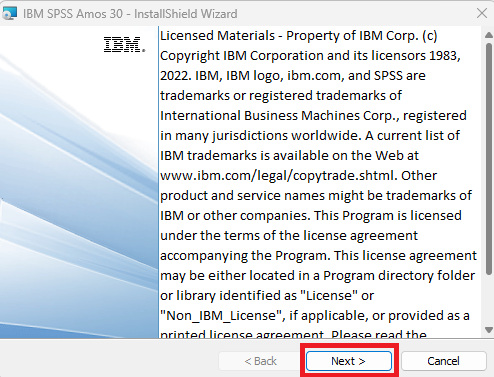
  3. Click on “Next”.


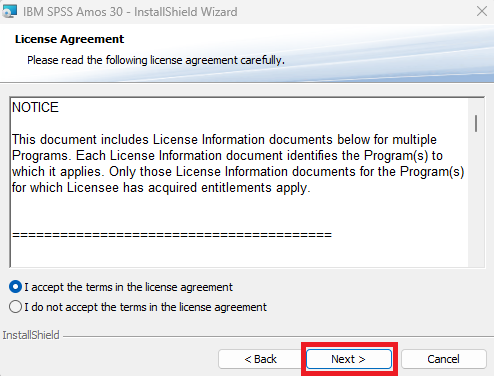
  4. Under “License Agreement”, select “I accept the terms in the license agreement” and click “Next”.


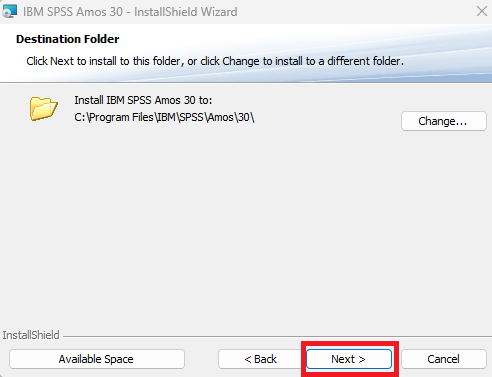
  5. Under “Destination Folder”, click on “Next.


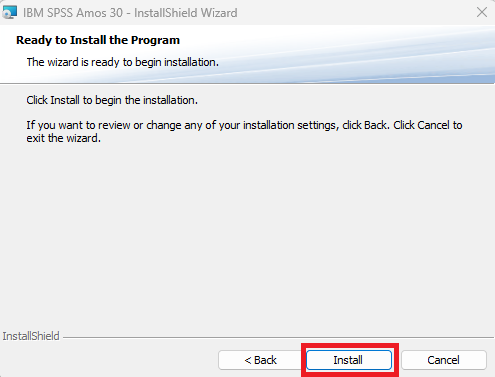
  6. Click on “Install” to start the installation.


  7. Wait for the installation process to finish.
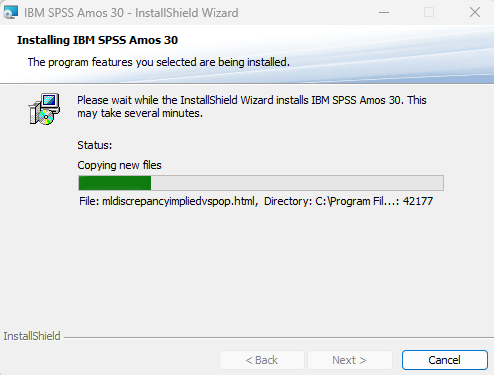


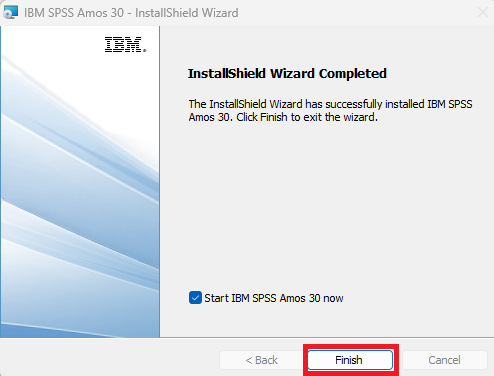
  8. Once the installation is complete, click on “Finish”.
How do I Get a License for IBM SPSS Amos?

  1. Go to https://iajuda.iscte-iul.pt/.
  2. Authenticate using the SIIC credentials (e.g. xxnes@iscte-iul.pt and its password). 
  3. Select the option “New Request“.
  4. Choose the category “Aplicações/SPSS e Amos” and then Create Request in “Requisição de Licença Amos“. 
  5. Fill in the questionnaire indicating the version you want (for example, IBM SPSS Statistics, version 29).
  6. Within 48 working hours the respective license will be sent.

How do I Activate the IBM SPSS Amos License?

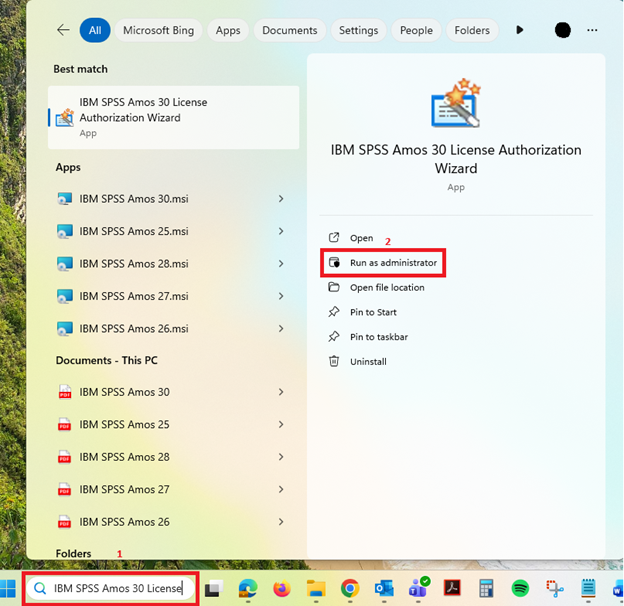
  1. In the Windows search bar, enter “IBM SPSS Amos 30 Licence Authorisation Wizard” and select the “Run as administrator” option.


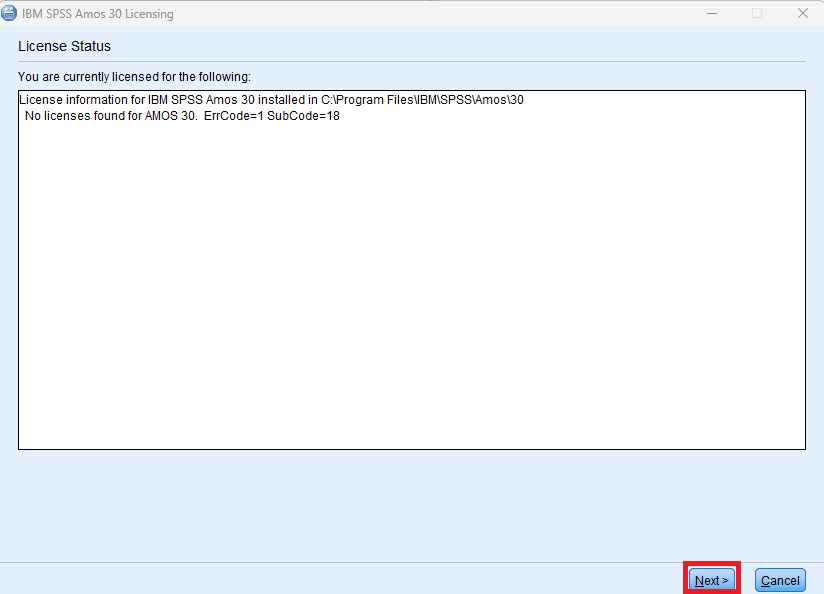
  2. Under “License Status”, click on “Next”.


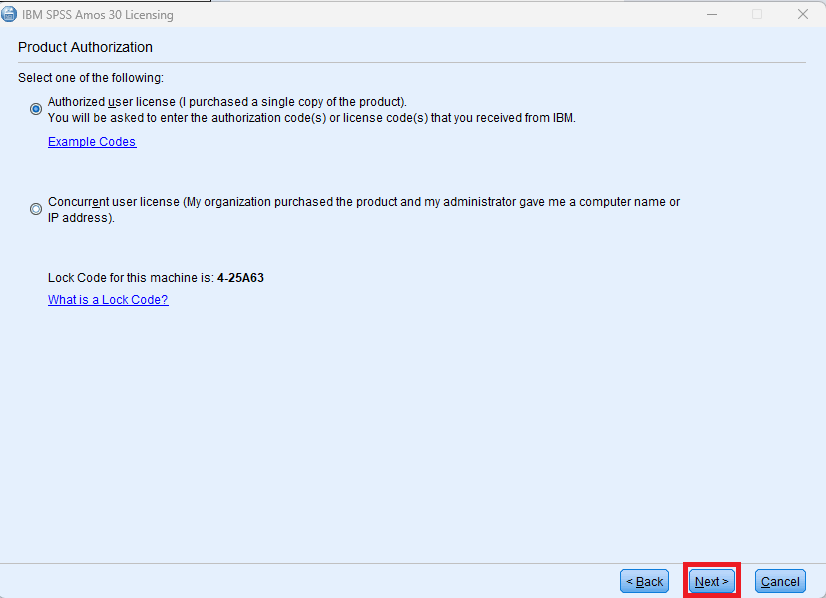
  3. Under “Product Authorization” select the first option “Authorized user license…” and then click “Next”.


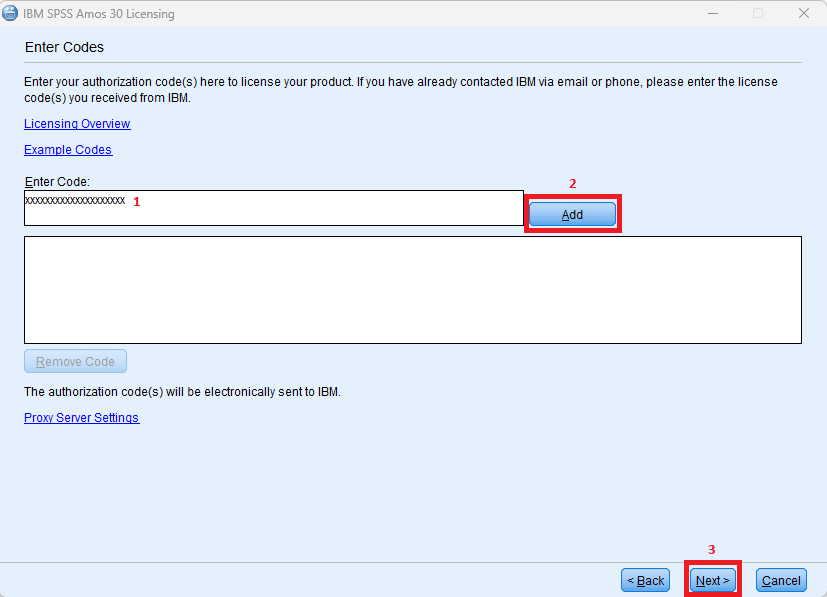
  4. Enter the authorization code provided by SIIC in the “Enter Code” field (1) and click “Add” (2).  Click on “Next” (3).


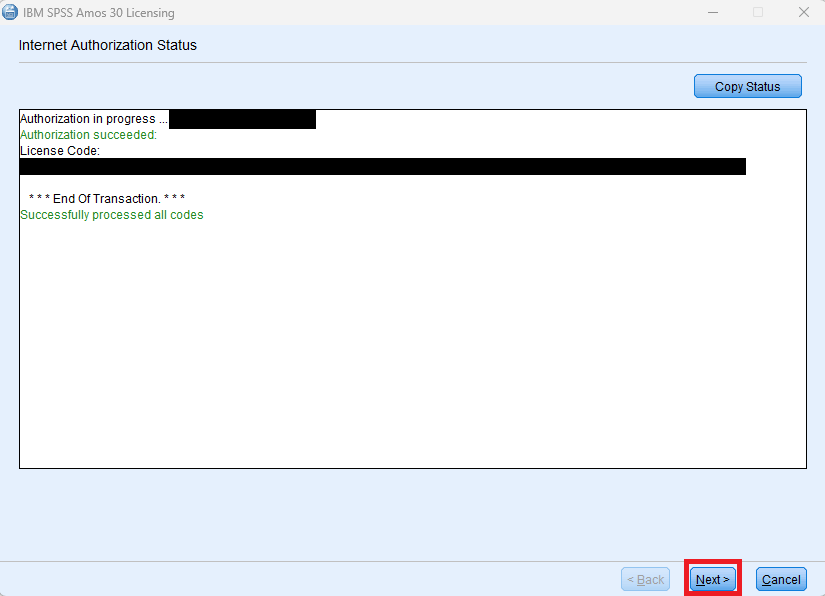
  5. Click on “Next” to continue the licensing process.


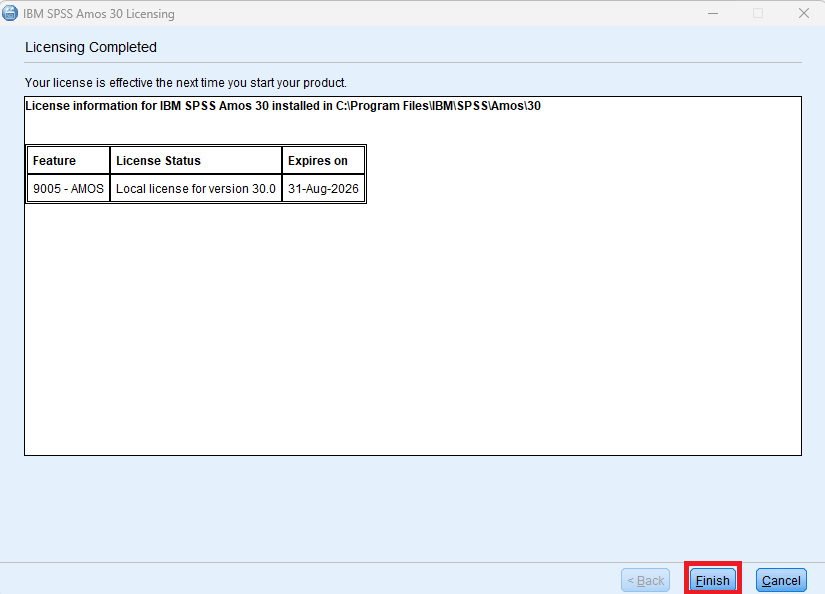
  6. Click “Finish” to complete the activation.
Known Issues

Resolution: There is no version of “IBM SPSS Amos” for MacOS X.

References: https://www.ibm.com/products/structural-equation-modeling-sem?mhsrc=ibmsearch_a&mhq=IBM%20SPSS%20Amos

Authorization in progress … (***************)
Authorization failed.: Authorization Error
*** End Of Transaction.
One or more codes failed.
Click “Next” to license authorization via e-mail.

Resolution: Replace the “licenseactivator.jar” file located in the root folder of the software. Check it out here.

FAQ