

Skip to content Skip to main navigation Skip to footer

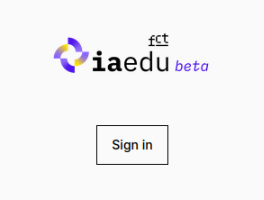
IAedu

IAedu is a digital service provided by FCT and developed by FCCN, aimed at democratizing access to Artificial Intelligence in higher education and research in Portugal.

Main Features

  • Centralized access to large language models (LLMs)
  • Multiple AI models available within a single platform
  • Federated authentication using institutional credentials

Available Models

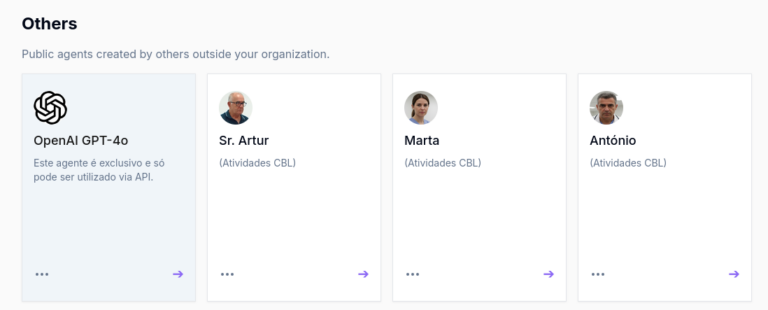
  • OpenAI GPT-4o – advanced model with API key access
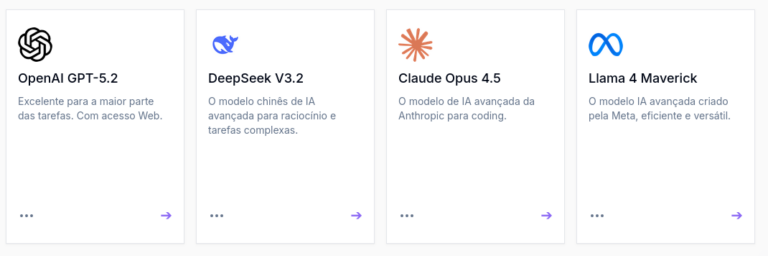
  • OpenAI GPT-5.2 – excellent for most tasks, with web access
  • Mistral – high-performance open-source model
  • DeepSeek V3.2 – advanced Chinese AI model for reasoning and complex tasks
  • OpenAI o4-mini – lighter and faster version
  • Claude Opus 4.5 – Anthropic’s advanced AI model for coding
  • Llama 4 Maverick – advanced AI model developed by Meta, efficient and versatile
    •  

How to Acess?

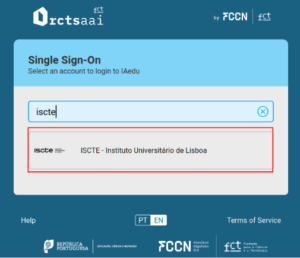
2. Click on “Sign in with ISCTE – University Institute of Lisbon (RCTSaai)”

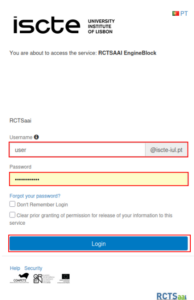
3.Enter your institutional credentials

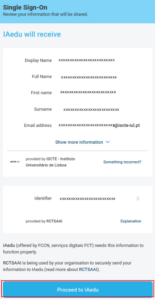
4. Confirm submission by clicking  “Proceed to IAedu”

Security and Privacy

  • Data is not used to train models
  • Inputs and outputs are handled with a high level of protection
  • Access is subject to terms and conditions
  • Responsible use may be monitored and restricted in certain cases

How to choose the right model?

  • General knowledge: any model
  • Up-to-date or specific data: use a model with web access
    1- Click on the desired model.

Prompt Engineering Tips

Direct prompt:
“Summarize this text.”

Prompt with examples:
“I want short answers.

Example:
Question: Who manages RCTSaai?
Answer: FCCN”

Role prompting:
“You are a legal expert. Answer accordingly.”

Explicit instructions:
“Respond in a list, using fewer than 100 words.”

API Usage​


An API allows different systems to communicate with each other.

How to obtain an API key:

1.Open a chat using the GPT-4o model


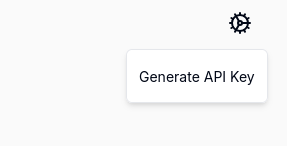
2. Click on Settings and generate an API key by clicking “Generate API Key”.

How to create a new Agent

An agent is a customized Artificial Intelligence assistant that can be configured to perform specific tasks, respond according to predefined instructions, and support different types of users.

An agent can, for example:

Answer frequently asked questions;
Support users within an application;
Generate documentation and summarize content;
Assist administrative processes;
Create texts or analyze information.
Each agent can have its own behavior, context, communication style, and specific instructions.

How to create an agent
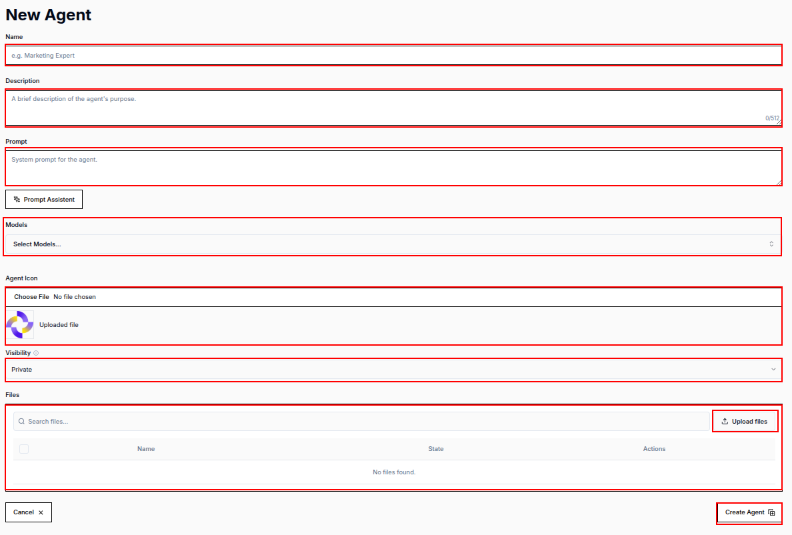
1. To create an agent, click on the “New Agent” option.

2.Next, the following fields must be completed:

Name - agent identification name;
Description - brief description of its purpose;
Prompt - agent behavior and rules;
Models - model used by the agent (GPT-5.5 or Claude Opus 4.7);
Visibility - defines the agent access level, which can be a private agent, shared with the institution, or public;
               Note: The shared or public agent options are not available to students, and the public agent option is only available to faculty members;
Files - Upload files containing additional information for the agent in order to improve its responses.

Finally, click on "Create Agent".
Support

For support, contact the IAedu team at:
📧 Support Email: iaedu@fccn.pt