IBM SPSS Amos
- Go to this link.
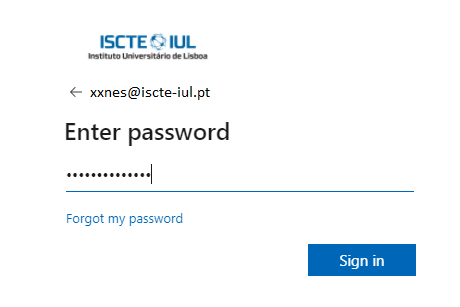
- Log in using your Iscte credentials (eg., xxnes@iscte-iul.pt and password).

- Open the folder for the version of IBM SPSS Amos to be installed. As a rule, the latest version.
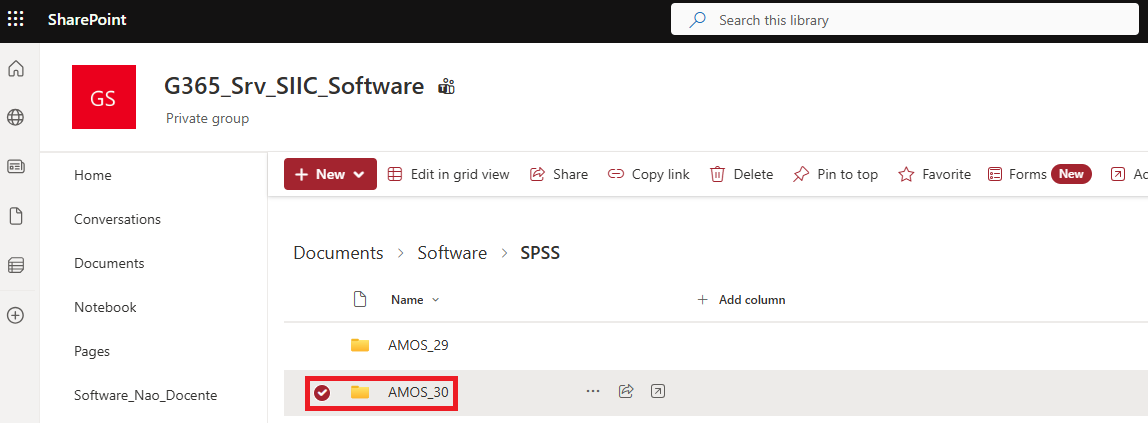
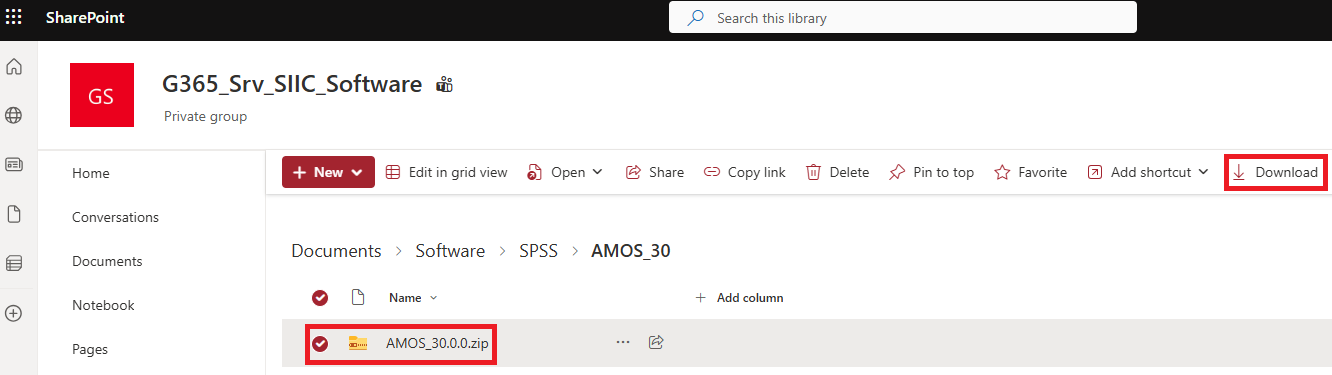
- Select the compressed folder “AMOS_30.0.0.zip” and click on “Download”.
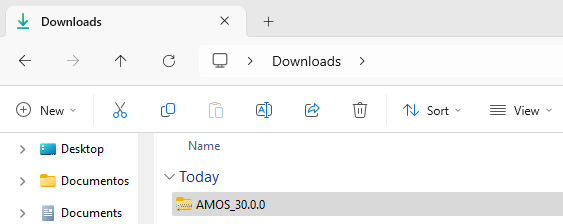
- The compressed folder labeled “AMOS_30.0.0” will be downloaded.
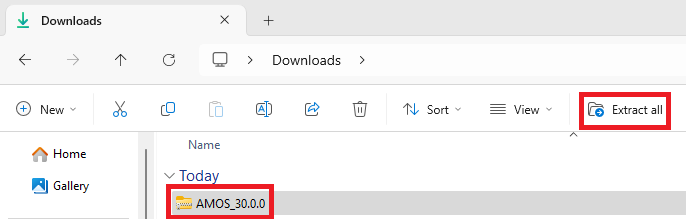
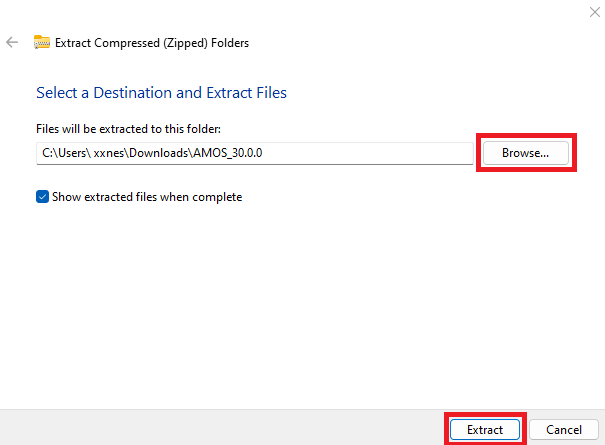
- Select the compressed folder “AMOS_30.0.0_Win” and click “Extract all“. If you prefer another location, select “Browse…” and choose the desired location. Select “Extract“.
- The “AMOS_30.0.0” folder will be generated. Open the “AMOS_30.0.0” folder and run the “setup” file.
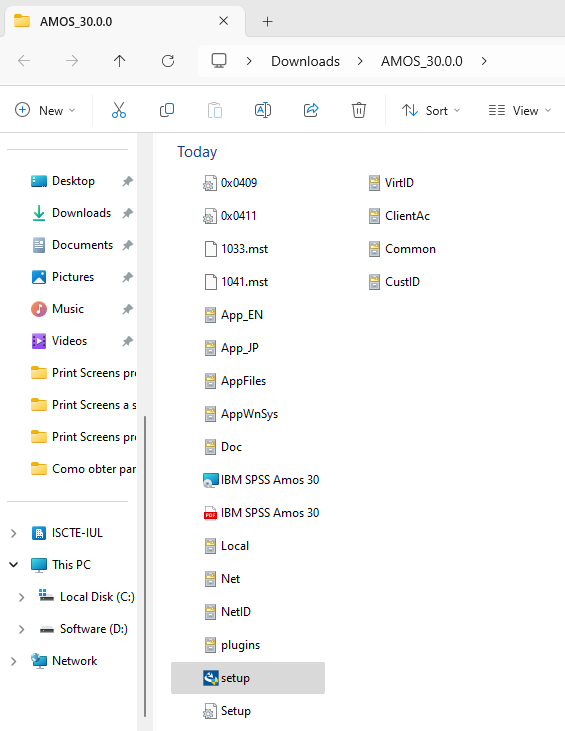
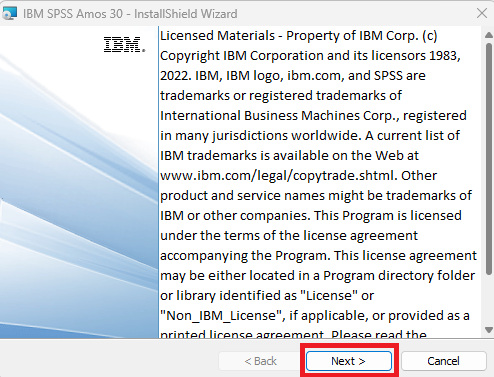
- Click on “Next”.
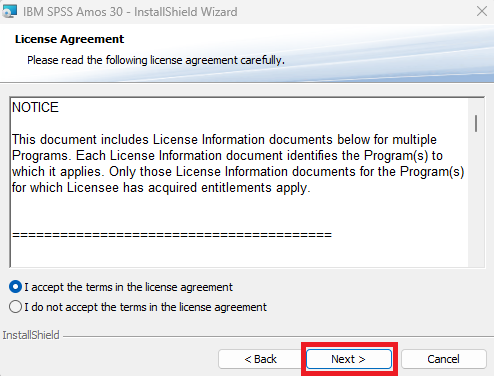
- Under “License Agreement”, select “I accept the terms in the license agreement” and click “Next”.
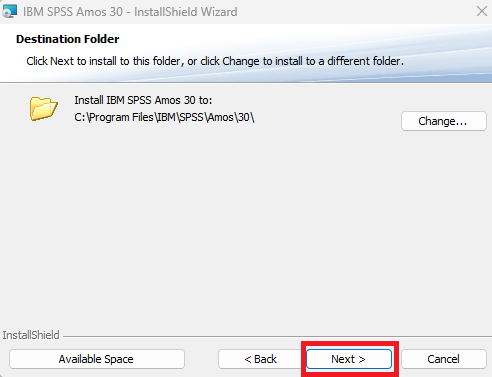
- Under “Destination Folder”, click on “Next”.
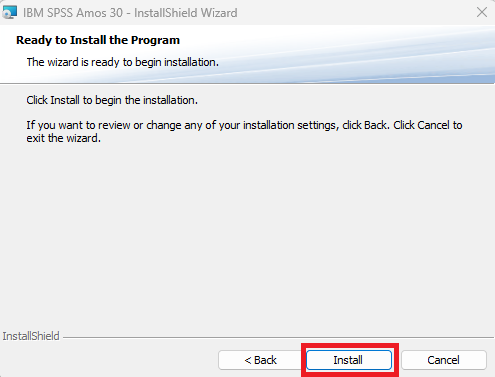
- Click on “Install” to start the installation.
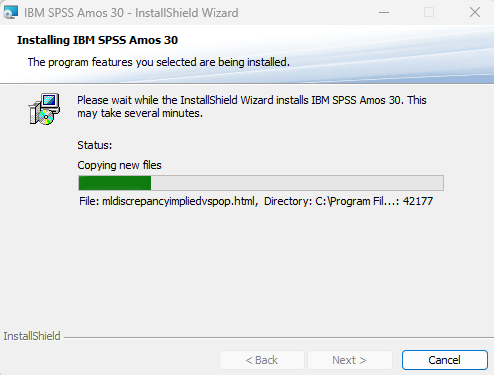
- Wait for the installation process to finish.
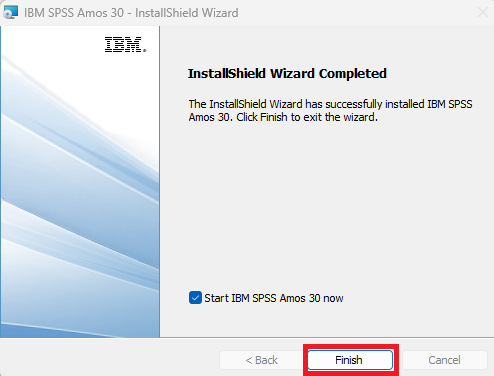
- Once the installation is complete, click on “Finish”.
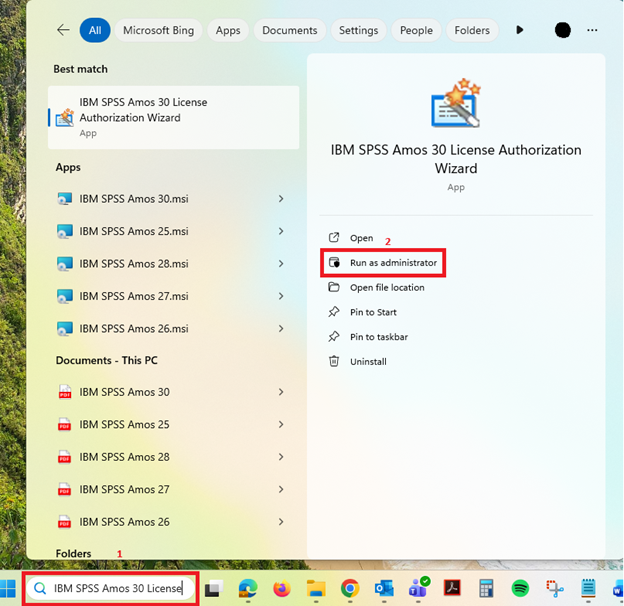
- In the Windows search bar, enter “IBM SPSS Amos 30 Licence Authorisation Wizard” and select the “Run as administrator” option.
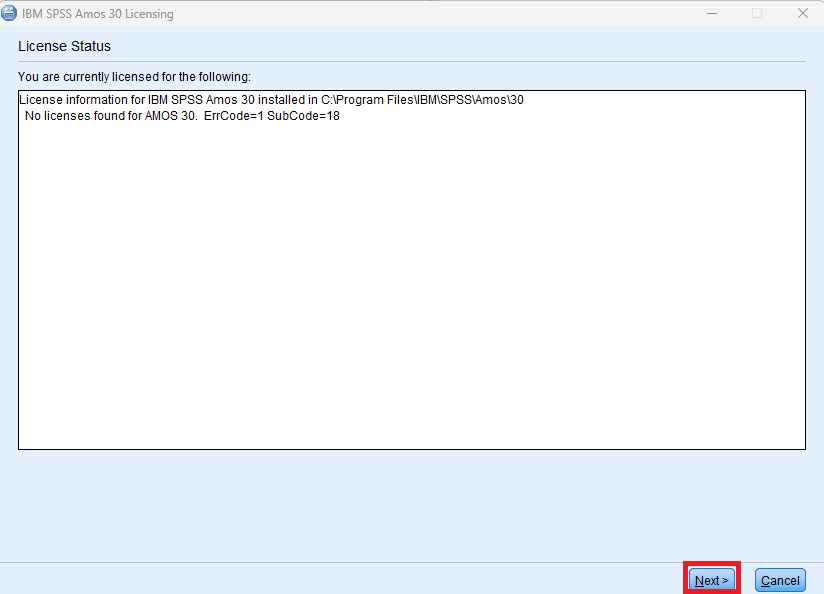
- Under “License Status”, click on “Next”.
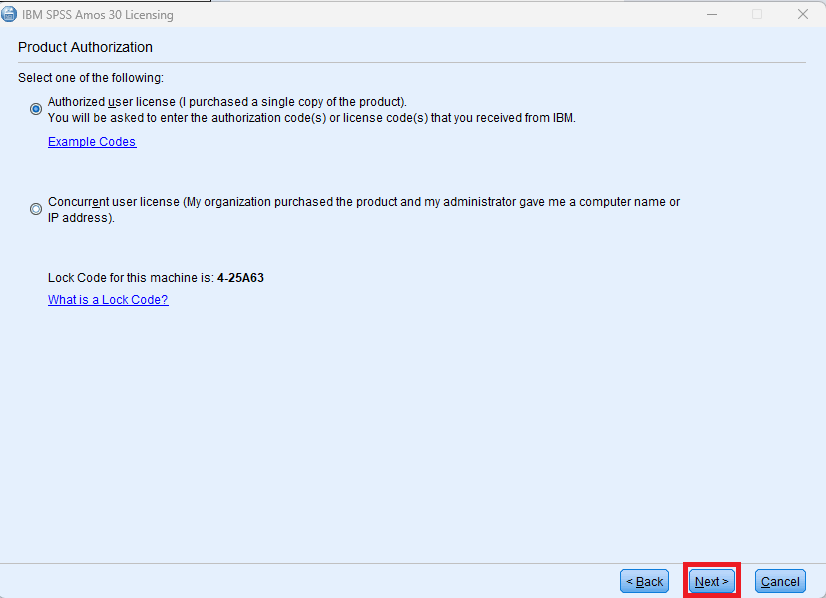
- Under “Product Authorization” select the first option “Authorized user license…” and then click “Next”.
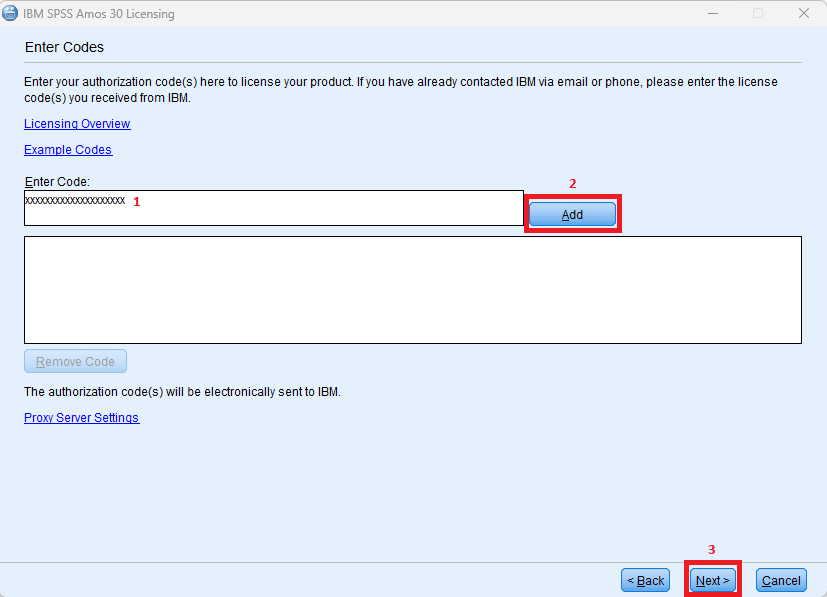
- Enter the authorization code provided by SIIC in the “Enter Code” field (1) and click “Add” (2). Click on “Next” (3).
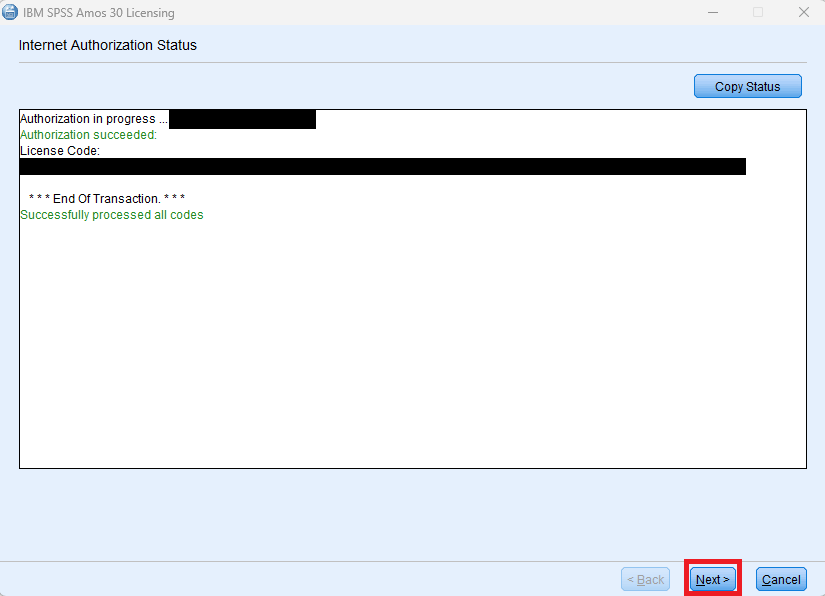
- Click on “Next” to continue the licensing process.
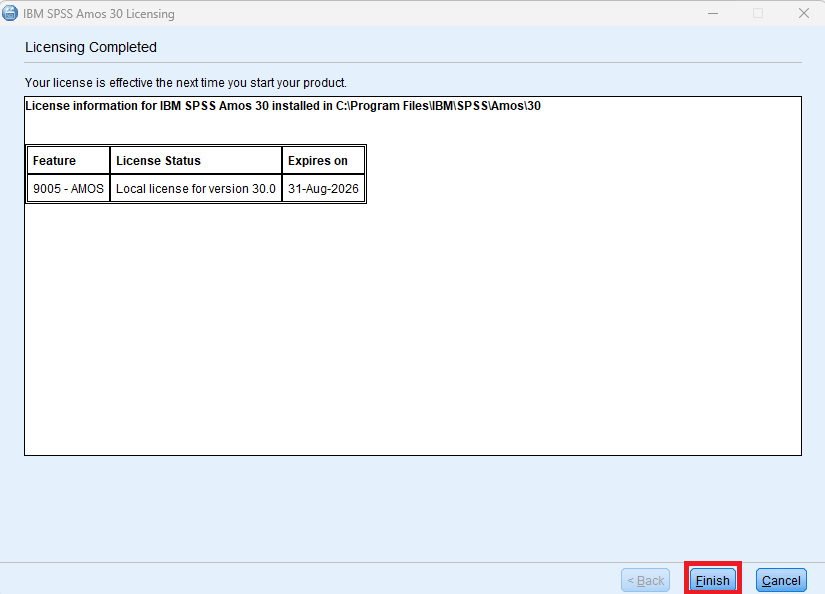
- Click “Finish” to complete the activation.